Contact us and find out more!

    Industrial computer – how to choose a model for work in difficult conditions?

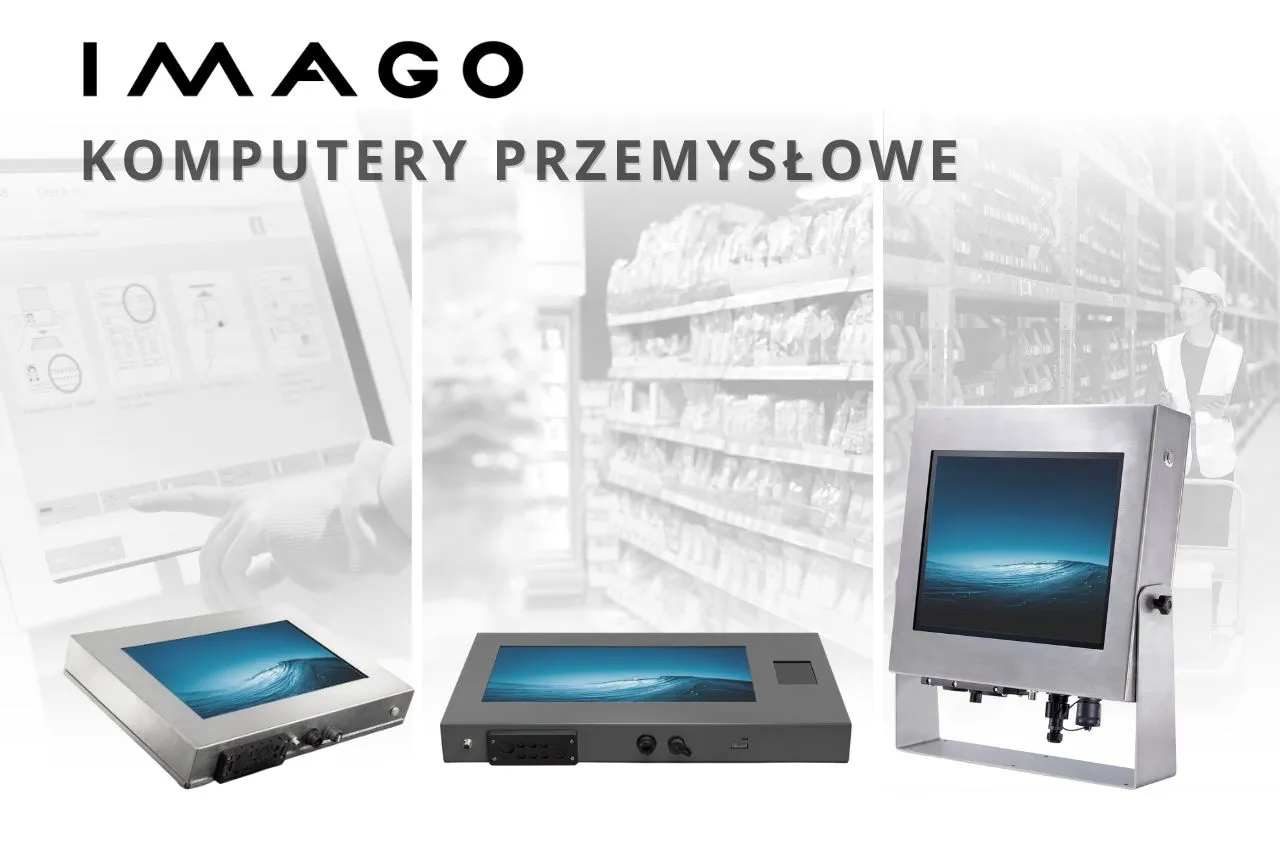
    Industrial computers must be designed to operate in harsh environments—where conventional devices fail. Resistance to external factors, reliability, and adaptability to specific environments are just some of the aspects that must be considered.

    Modern industrial computers they must be resistant to external factors, ensure stable operation and enable configuration tailored to a specific industry.

    Industrial computers in demanding industries

    Which industrial computer will work best in a meat processing plant, cold store, shipyard or chemical industry?

    In environments with:

    • high dustiness,
    • increased humidity,
    • exposure to salt,
    • risk of mechanical damage,
    • the presence of aggressive cleaning agents,

    it is necessary industrial panel computer with reinforced structure.

    In such conditions, performance is not enough; what is crucial is the durability of the housing, the tightness of the ports and a fanless design that minimizes the risk of failure.

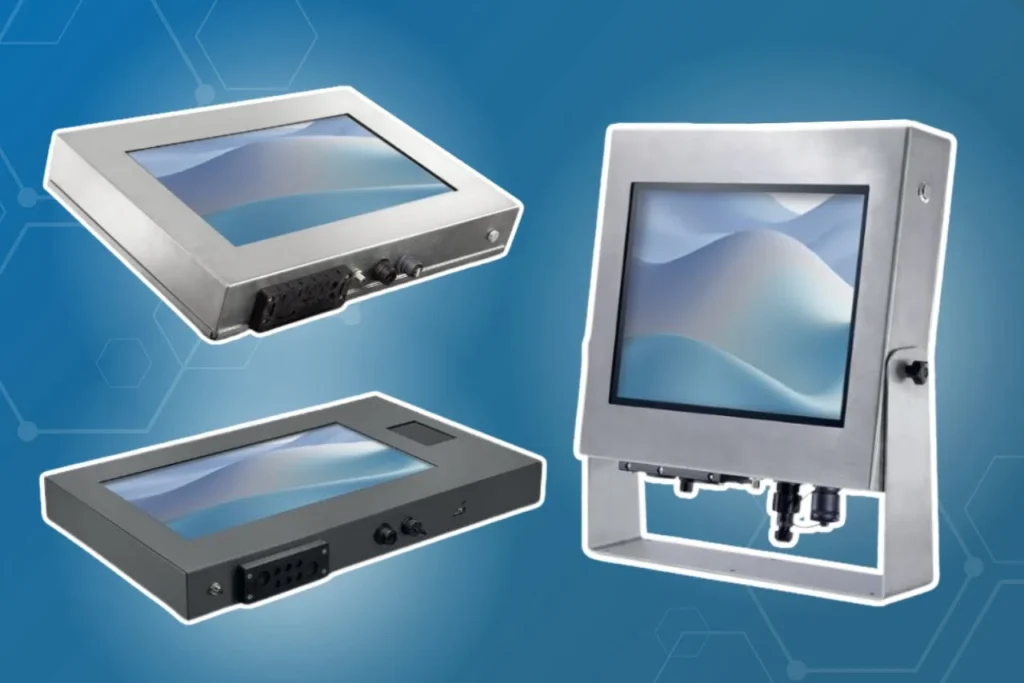
    Industrial computer made of stainless steel

    For the most demanding environments it is recommended stainless steel industrial computer.

    This solution ensures:

    • high corrosion resistance,
    • resistance to chemicals,
    • ease of cleaning (important in the food and pharmaceutical industries),
    • durability in conditions of increased humidity.

    Additional sealing of I/O ports and cable entries increases the level of protection against water and dust (IP65/IP67).

    A fanless industrial computer (passive cooling) guarantees quiet operation and minimizes the risk of contaminants entering the device.

    Upon special request, it is also possible to apply a coating protecting against salt – particularly important in cold stores and meat and fish processing.
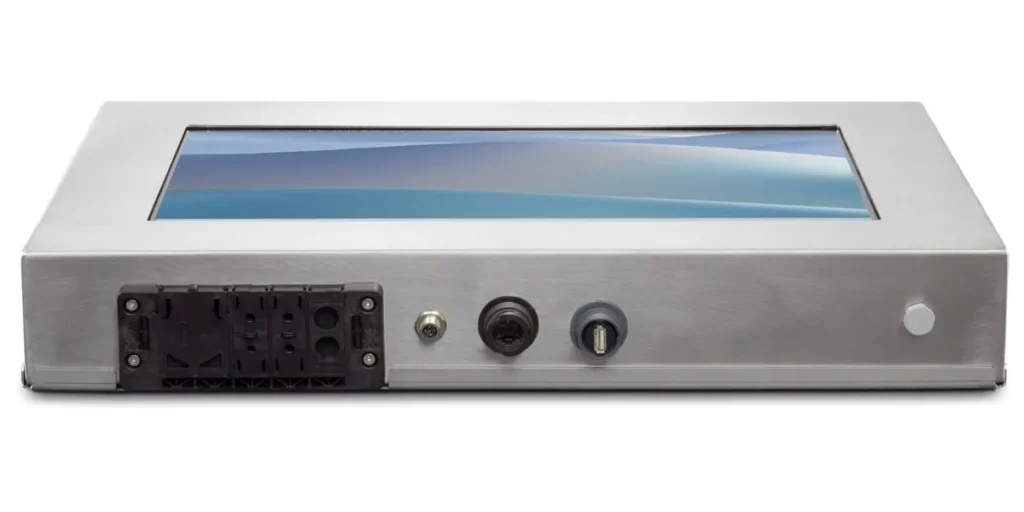
    industrial stainless steel panel computer

    Industrial computers made of powder-coated steel

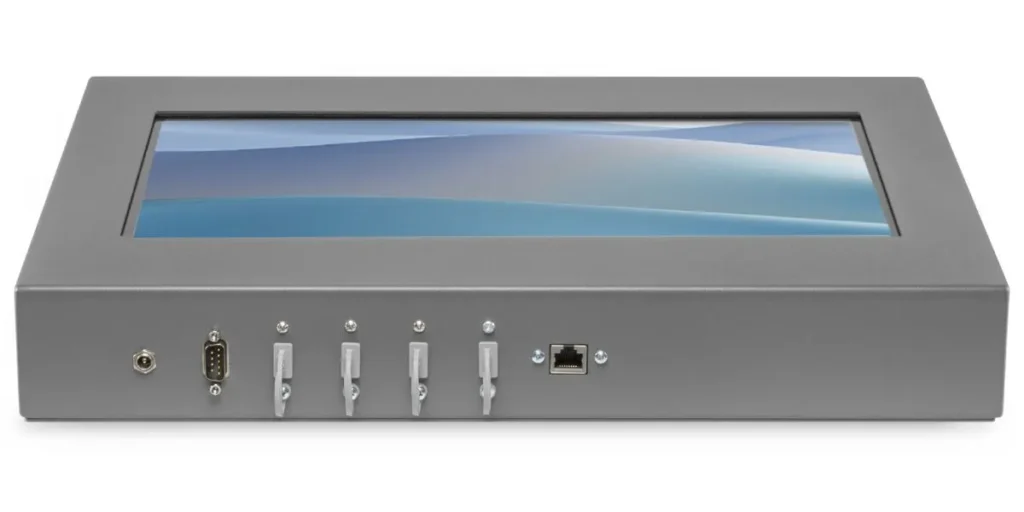
    The alternative is industrial computer in a powder-coated steel housing. This is a robust and economical solution for environments:

    • dusty,
    • with moderate humidity,
    • production and storage.

    In this configuration it is also possible to:

    • additional port sealing,
    • use of M12 industrial connectors,
    • expansion with RFID/NFC readers and 2D scanners,
    • painting the housing in a color matching the design.
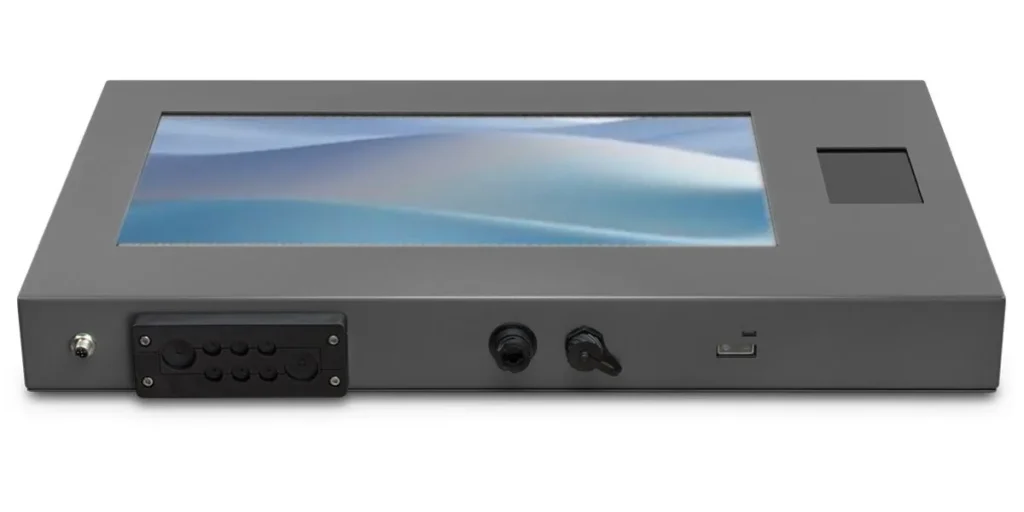
    industrial panel computer made of powder-coated steel

    Industrial computer screen: capacitive or resistive?

    One of the key choices is touch technology.

    • Capacitive screen (PCAP) provides high responsiveness and fingertip comfort – ideal for clean, dry environments.
    • Resistive screen works better in conditions where the user is wearing gloves or the surface may be wet.

    The ability to choose the screen type allows you to precisely adapt the device to a specific position and tasks – increasing comfort and, above all, safety of use.

    Accessories for industrial computers

    Modern industrial computers can be configured modularly. The most common extensions include:

    • RFID/NFC readers
    • 2D code readers
    • IP65/IP67 cable glands
    • M12 connectors
    • Voltage converter
    • VESA mounts

    Thanks to this, an industrial computer can function as an operator station, quality control terminal, production registration system or industrial kiosk.
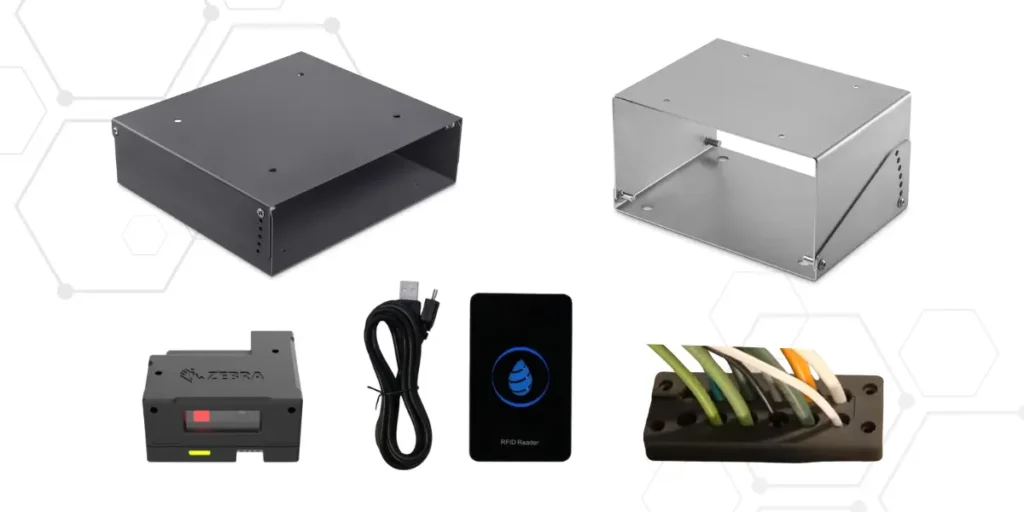
    accessories for industrial computers

    Where are they most often used? industrial computers?

    An industrial computer is used, among others, in:

    • Access control systems working 24/7
    • Production lines and assembly stations
    • As industrial kiosks (e.g. with screens for interaction or data reading)
    • In logistics and quality control
    • In industry food and pharmaceuticalwhere resistance to cleaning and chemical agents is required

    How to choose the right industrial computer?

    The choice of an industrial computer should take into account:

    1. Environmental conditions (temperature, humidity, dust).
    2. Required level of tightness (IP).
    3. Housing type (stainless steel vs. powder coated).
    4. Touchscreen type.
    5. Required accessories and integrations.
    6. Operating mode (24/7).

    Properly selected industrial computer is an investment in process continuity and operational security.

    IMAGO industrial computers – durability and flexibility

    At IMAGO, we design industrial computers tailored to real-world operating conditions. We combine robust construction with the ability to fully customize configurations, ensuring each industrial computer is perfectly suited to its industry and environment.
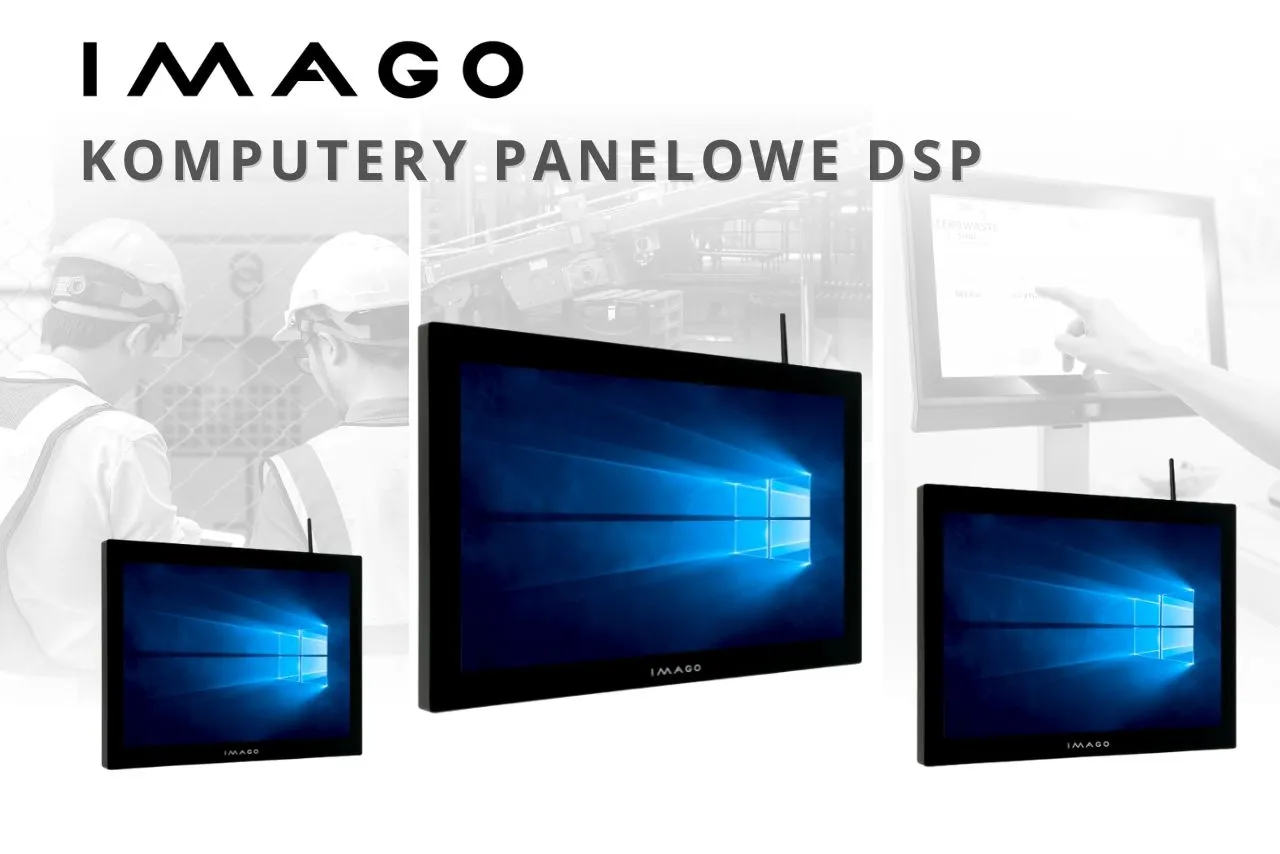
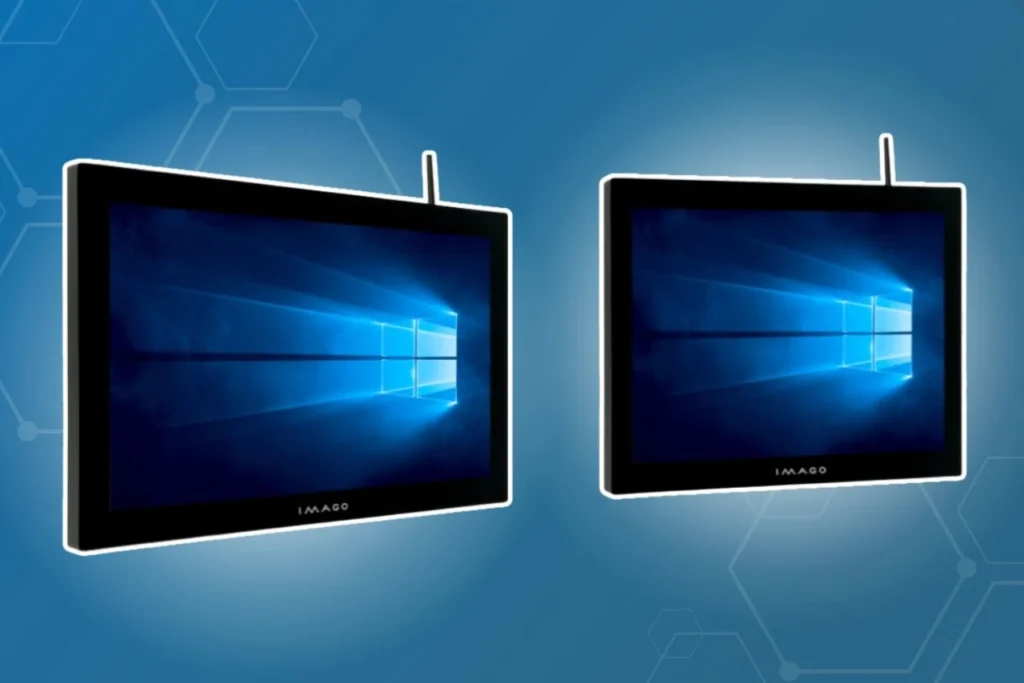
    Versatile use of DSP panel computers

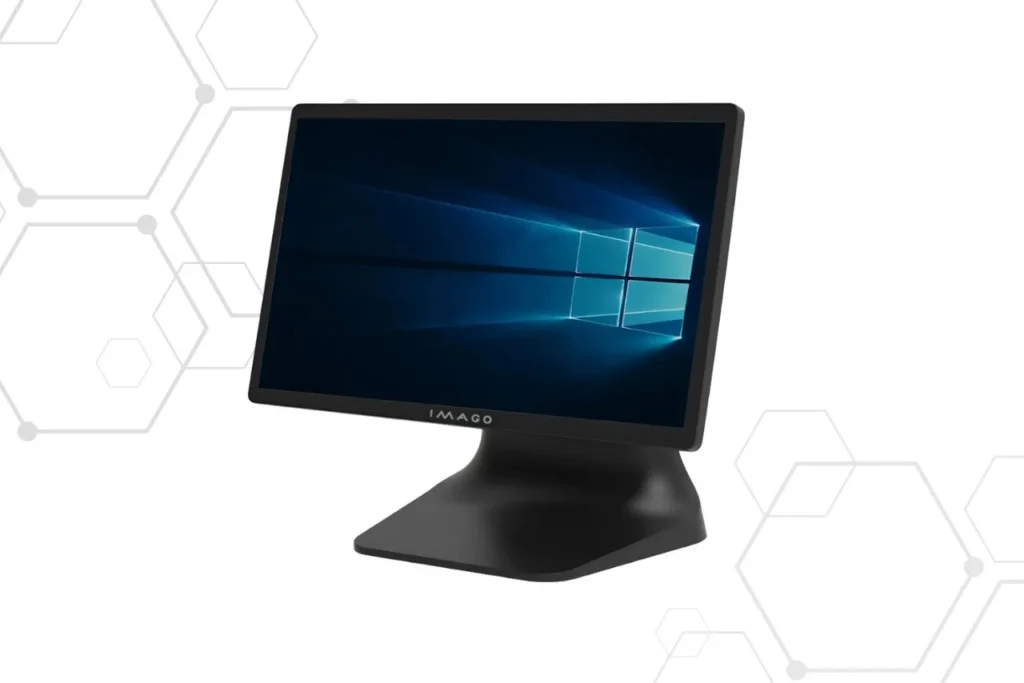
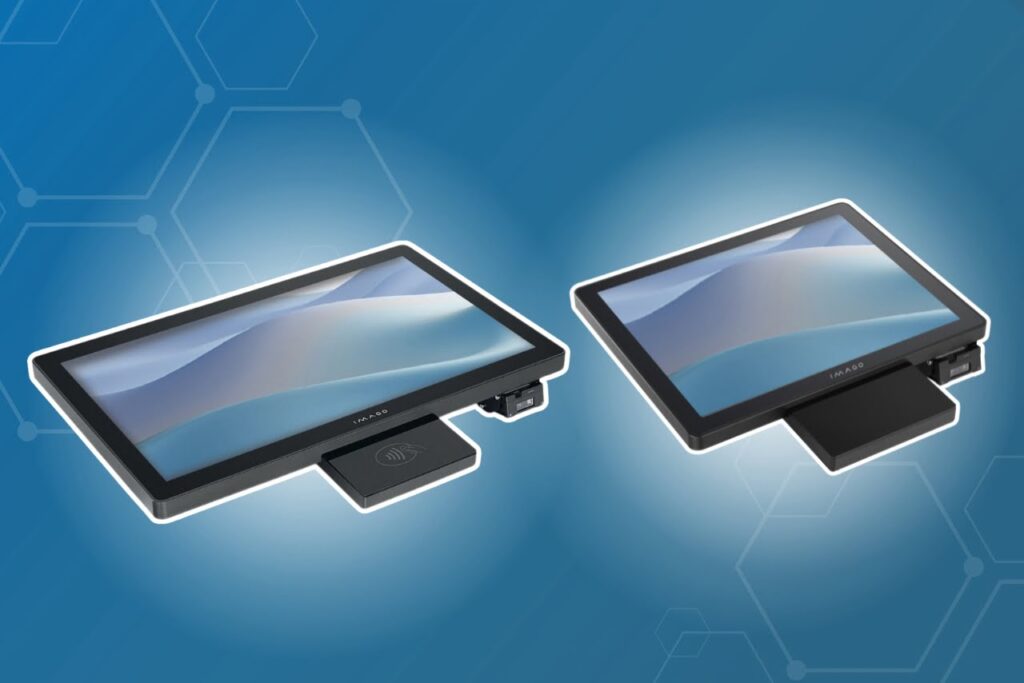
    Which panel computer will work well in both production and retail environments? The DSP series is a response to the diverse requirements of modern companies. Modern devices All-in-One type, also known as KDS systems, enable efficient communication, process control and intuitive operation of workstations – regardless of the industry.

    What are they? DSP panel computers?

    DSP panels this is a series touch panel computers, mainly used as:

    • Kitchen Display System (KDS)
    • Panels used in production halls in light industry
    • Digital signage

    Available models range from 10.1″ to 21.5″ FHD, and each can run Windows. Supports capacitive (PCAP) or resistive touch – which allows you to adjust the screen to the specific work environment. Resistive screens allow comfortable operation even with gloves, which works well both in industry and in retail and catering outlets, where strict hygiene standards apply.
    What can they do? DSP panels?

    • High performance – Intel Core i5 or soon N97 processors, up to 32 GB RAM and 512 GB SSD,
    • Flexible integration – USB, HDMI, LAN, RS‑232, Wi‑Fi and Bluetooth ports allow the use of additional devices
    • Fanless cooling – no cables and fans = fewer failures and quiet operation,
    • Resistance and durability – no moving parts, which is useful in production halls and environments exposed to vibrations or contamination

     Where can panel computers be used? from the DSP series?

    • Gastronomy – order fulfillment on KDS screens; panels resistant to elevated temperatures and intensive use in kitchen areas,
    • Trade and service points – customer assistant,
    • Digital signage – guides, advertisements, interactive maps in public and commercial spaces,
    • Production and logistics – operator panels for measuring and visualizing the process, adapted to work in dusty environments and with variable temperatures,
    • Information boards and information kiosks – in offices, service points, shopping centers – easy to use and resistant to intensive use.
    Imago Poland KDS DSP series panel computers

    Examples models:

    • DSP‑10 (10.1″ FHD)compact panel computer, ideal for smaller sales points,
    • DSP‑15 (15″ 4:3), DSP‑16 (15.6″ FHD), DSP‑19 (18.5″ FHD), DSP‑22 (21.5″ FHD) – variety of sizes adapted to workstations (e.g. operator panel)

    Customize your DSP computer

    Every work environment has its own rules – that's why the DSP series has been designed to be easily adapted to your specific needs.

    Regardless of whether you need panel for self-service station in a store, or a device resistant to intensive work in the kitchen - the configuration of the equipment, the choice of touch technology, processor or additional ports allows you to build a solution tailored to the realities of everyday work.

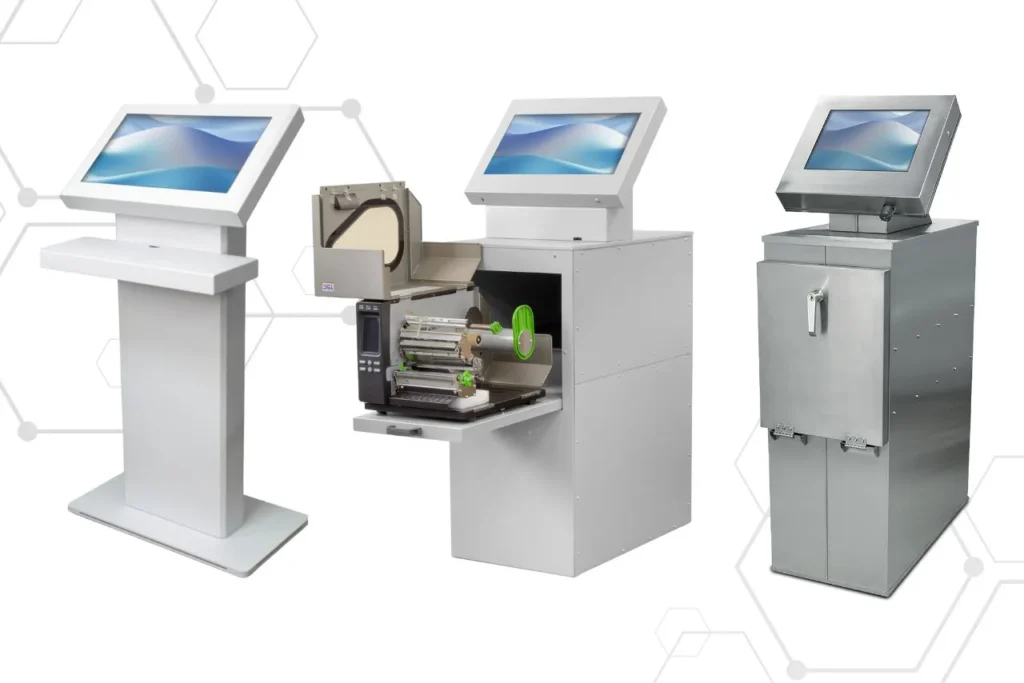
    Modern kiosks for demanding environments

    Companies from the trade, industry and service sectors are increasingly reaching for computer kiosks as an alternative to traditional service stations. IMAGO kiosks are solutions that can be easily adapted to a specific work environment - from information points to production halls. A solid casing, the possibility of integration with peripherals and great flexibility of configuration make them equipment ready for the most difficult conditions.

    What they are and how they work computer kiosks?

    A computer kiosk is an autonomous station equipped with a touch screen and the ability to connect many peripheral devices., such as printers, card readers (e.g. NFC, RFID), barcode scanners (e.g. 1D/2D), payment terminals and other accessories.

    The design of Imago Poland kiosks is based on durable materials, resistant to mechanical damage, dust, moisture and extreme temperatures, which allows them to be used safely in offices, commercial facilities and production halls.

    The kiosk's operation is based on the integration of a computer, touch screen and selected peripherals into a single, functional unit. After being launched, the user operates the interface by touch – performing simple actions such as selecting options, scanning, making payments or downloading confirmations. In the background, the kiosk communicates with company systems (e.g. ERP, POS, CRM), sending data or performing specific operations.

    The whole thing works based on an operating system with a dedicated application, adapted to a given usage scenario – regardless of whether it is a self-service point in a store, a visitor recorder or an operator panel in an industrial plant.

    Types of kiosks and their use

    Industrial kiosks and office

    In office spaces, kiosks serve as registration points, queuing systems, and information kiosks. In industrial environments are used, among others, for access control, reporting and visualization of production data.

    Self-service and information stands

    In trade and services, kiosks facilitate quick customer service, enabling independent scanning of products, payment and printing of receiptsIn public institutions, they serve as self-service points of contact with the office.

    industrial kiosks for production halls

    The most important thing advantages of kiosks

    1. Resistance to demanding conditions

    The kiosks are designed to work in a variety of environments – from dry offices to dusty and humid production halls. Elements that increase their resistance include:

    • Cases made of stainless steel, corrosion and impact resistant,
    • Sealed M12 type connectors, protecting against dust and water,
    • Touch screens with technology resistive, enabling operation with gloves.

    2. Flexible configuration equipment and housing

    Kiosks can be fully customized to the needs of a specific user. Available options include:

    • Personalized cases, screen sizes and touch technologies (capacitive (PCAP) or resistive),
    • Expandable I/O ports, enabling integration with additional devices,
    • Accessories such as pull-out shelves for printers, closed compartments for peripherals, and holders for keyboards and mice,
    • Diverse Hardware configurations – from basic processors to powerful units for complex tasks.

    3. Wide range of applications

    Thanks to their modular design and personalization options, kiosks can be used in many industries:

    • Information points – customer service, visit registration, queuing systems,
    • Retail – self-service sales points with integration of payment terminals and fiscal printers,
    • Industry – monitoring and management of production processes, data visualization, work registration.

    How to choose a kiosk to the work environment?

    Choosing the right kiosk depends on the conditions in which it is to work and the functions it is to perform.

    • In public and office spaces, compact dimensions and aesthetics are important.
    • In industrial plants, what counts most is durability, tightness and ease of integration with systems.

    It is also worth choosing the right hardware configuration – the more complex the task, the higher the requirements for the computing unit and interfaces.

    kiosks for store sales points

    Examples kiosk implementations

    • Registration and information points

    In public institutions and private companies, kiosks enable quick and safe registration of visits, integrating the functions of document scanning, printing confirmations and user identification.

    • Self-service in trade

    Sales kiosks speed up customer service by enabling customers to scan products and make payments themselves. Their intuitive operation increases user comfort and shortens transaction time.

    • Industrial Process Management

    In the industrial sector, kiosks support production management – from displaying real-time data to controlling machine operating parameters. Their resistance to environmental conditions guarantees uninterrupted and safe operation.

    What do you gain, relying on kiosks?

    Implementation computer kiosks is a step towards a modern, more efficient work organization. Their versatility, advanced configuration options and resistance to environmental conditions translate into real savings and higher comfort of use – for both employees and customers.

    It is an investment that quickly pays off, supporting the company's development in the spirit of digitalization and automation.

    Barcode readers – how to choose a scanner for logistics, warehousing and trade?

    Barcode readers are indispensable tools in logistics, trade, warehousing and many other industries where speed, precision and work comfort are key. Modern devices feature modern design, advanced features, and versatile connectivity options. This allows them to easily integrate with corporate systems and provide seamless scanning of codes from paper and screens.

    Constant technological development has made barcode readers come a long way from large, wired models to compact, wireless devices. Modern scanners can be worn on the hand, finger or lanyard, which significantly improves work ergonomics and allows for the optimization of operational processes.

    Modern barcode scanners

    With technological advancements barcode readers are becoming increasingly functional. Today's models offer versatile wearing options and a wide range of connectivity options, enabling their use in various work environments. The ability to read codes from mobile device screens is an additional advantage, especially in an age where more and more processes are conducted digitally.

    Choosing the right barcode reader depends primarily on the working environment, scanning intensity and method of use – a high-bay warehouse will have different requirements than a retail outlet.

    Types of barcode readers – which one works best?

    There are many types of barcode readers available on the market, varying in design and purpose. The most common include:

    • handheld readers – classic scanners for stationary and mobile work,
    • wireless readers – provide greater freedom of movement and flexibility,
    • wearable readers – worn on a finger, hand or glove, ideal for intensive work,
    • stationary readers – mainly used at checkout points.

    Selecting the right type of scanner has a direct impact on the work pace and user comfort.

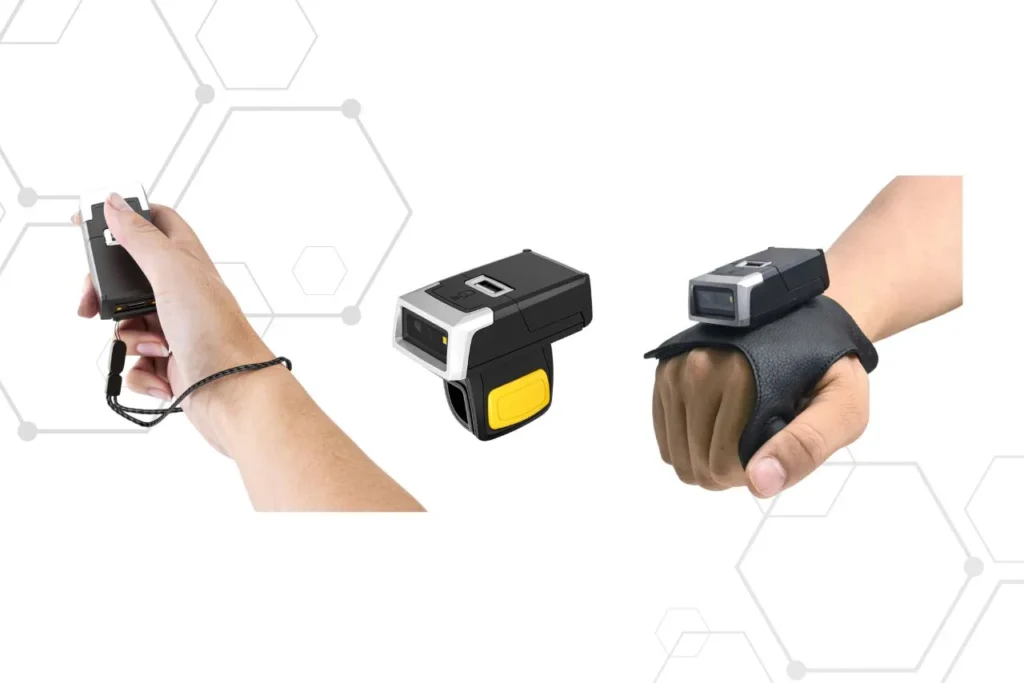
    WEARABLE SCANNER 005H – a combination of comfort and efficiency

    WEARABLE SCANNER 005H is Scanner, which combines functionality with ease of use. Equipped with an advanced 1 megapixel CMOS sensor, it provides precise and fast reading of 1D and 2D codes.

    With the option of wearing it on a finger, glove or lanyard, the device adapts to the user's needs, offering maximum ergonomics. Bluetooth and 2.4G connectivity options guarantee a stable connection over various distances, making this scanner an ideal tool for use in trade, logistics or warehouses.

    WEARABLE SCANNER 005H Key Features:

    • 1.0MP CMOS sensor: The resolution of 1280×800 pixels enables fast scanning of 1D and 2D codes.
    • Versatile ways to wear it: Finger, glove or lanyard.
    • Connectivity options: Bluetooth (default) and 2.4G.
    • Software updates: Online service.
    • Removable 600 mAh lithium battery: Can be charged via docking station or cable.
    • Different methods of steaming: Code scan, NFC touch and more.
    small portable barcode reader

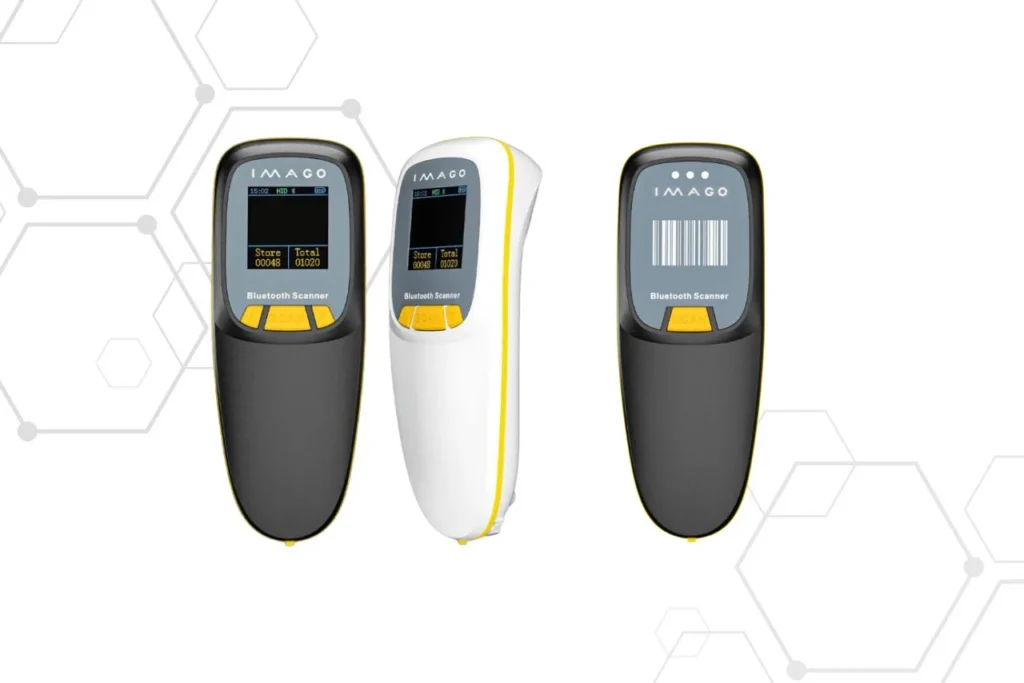
    R300, ergonomics and reliability in one

    The R300 is another highly functional barcode scanner designed for users who need a device that is easy to use and reliable in all conditions. The compact, ergonomic housing ensures comfort of work, and the solid, drop-resistant construction guarantees longevity.

    Starting the scanner no driver installation required, and the ability to monitor the battery status on the built-in display is a great convenience. The device supports communication via Bluetooth, 2.4G and USB-C cable, making it a versatile tool in trade, warehouses and logistics.

    barcode readers for 1D and 2D codes from paper and screens, long-lasting battery

    What makes the R300 scanner unique?

    • No need to install drivers: Simple operation.
    • Scanning 1D and 2D codes: From paper and screens.
    • Capacious 1500 mAh battery: Up to 24 hours of continuous scanning after just 3 hours of charging.
    • Software update options: Wireless and via decoder.
    • Multifunctional communication: Bluetooth, 2.4G and USB-C.
    • Communication range: 100m (2.4G) and 40m (Bluetooth) in open space.
    • 1.44 inch screen display: Real-time battery status information.

    Code reader for warehouse, trade and logistics – different needs

    In a warehouse environment, scanning speed, ergonomics, and the ability to work hands-free are key, which is why wearable readers are so popular.

    In retail, mobility, stable wireless connectivity, and the ability to scan codes from customers' smartphones are key. In logistics, operating range, durability, and reliability under intense workloads are crucial.

    WEARABLE SCANNER 005H or R300 – which reader should you choose?

    The choice between a wearable scanner and a classic handheld scanner depends on the nature of the work. The WEARABLE SCANNER 005H is best suited for applications requiring maximum ergonomics and continuous operation without having to put the device down. The R300, on the other hand, is a good choice for users who need a versatile scanner for various applications and positions.

    1D and 2D code readers – what is worth knowing?

    1D code readers They enable reading of classic barcodes, while 2D scanners also support QR codes and other more advanced formats. Modern sales and logistics systems increasingly require support for 2D codes, especially when scanning data from mobile device screens.

    Frequently asked questions about barcode readers

    What barcode reader choose for storage?
    Wireless or wearable models are best, as they provide fast scanning and freedom of movement.

    Do barcode readers work with POS systems?
    Yes, modern code readers easily integrate with POS systems and other company software.

    Is a Bluetooth reader better than a wired one?
    In most applications, yes, because it offers greater mobility and flexibility.

    Choose your reader

    Barcode readers, such as WEARABLE SCANNER 005H and R300, are technologically advanced tools that significantly improve everyday work in many industries. Their versatility, durability and ease of use make them irreplaceable in logistics, warehousing and trade processes. Thanks to modern features such as Bluetooth connectivity, ergonomic designs and the ability to read codes from various surfaces, these devices are an investment that translates into better operational efficiency and time savings.

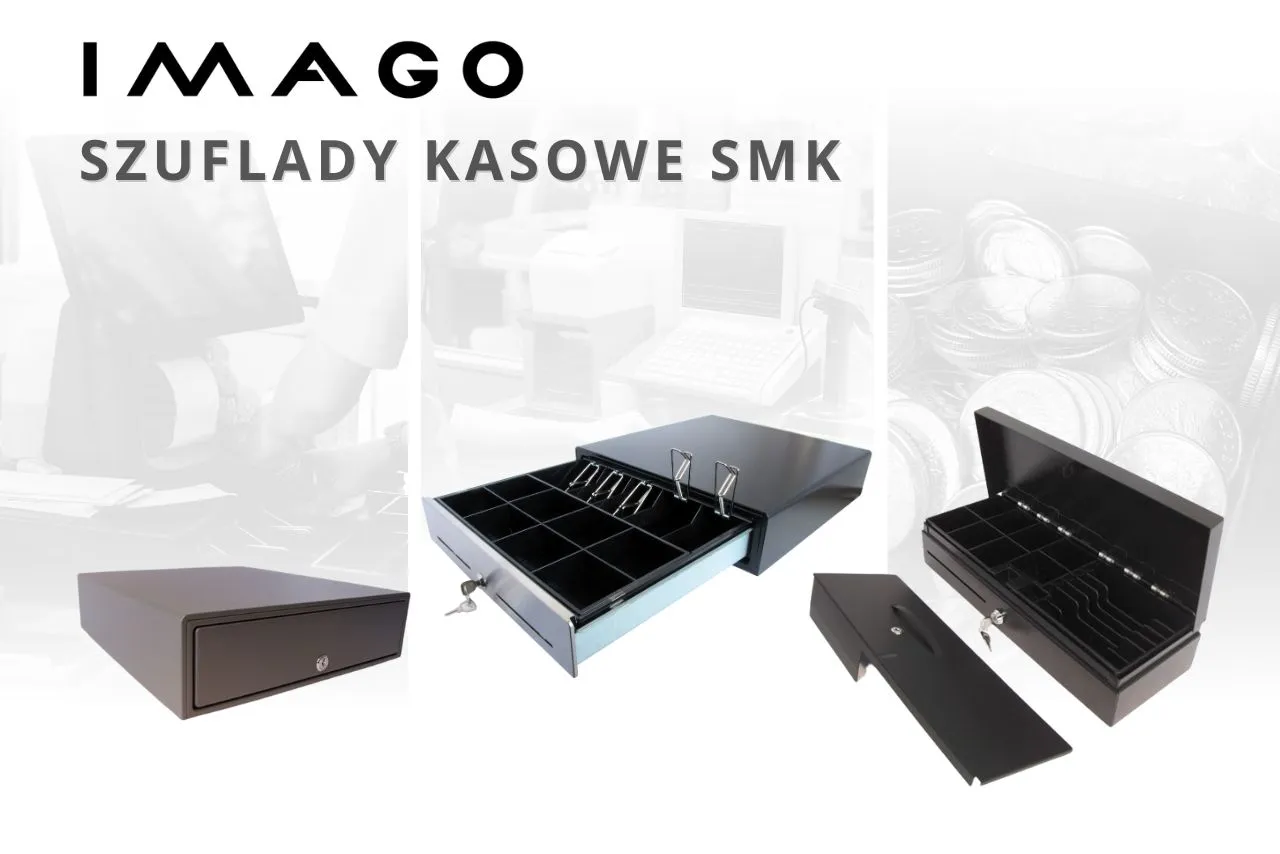
    Money under control - cash drawers from Imago Poland

    Cash drawers are a key element of equipment for every retail and service point, where fast and safe cash handling is essential. Regardless of the industry, their main task is to ensure safe and organized storage of money. When choosing the right model, it is worth paying attention to its durability, functionality and compatibility with sales systems. SMK drawers offered by IMAGO are a solution that meets all these requirements and ensures reliability in everyday work.

    SMK IMAGO cash drawers – perfect for shops, restaurants and service points in Poland (and beyond)

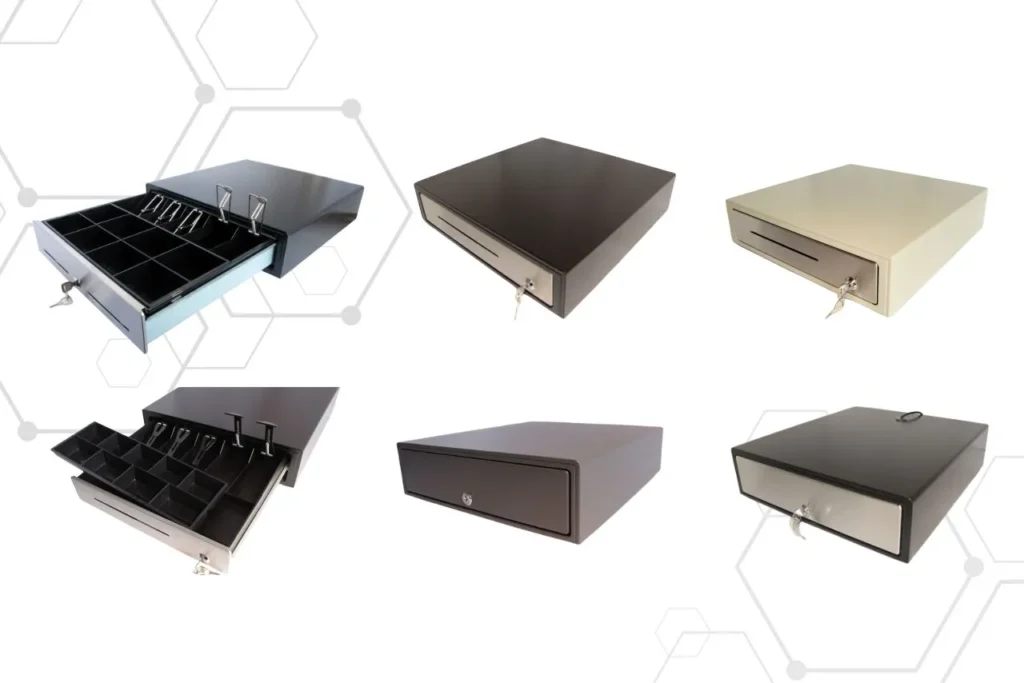
    Series cash drawers SMK stands out for its high-quality workmanship, aesthetic appearance, and competitive price. Users can choose from models with a front in black, white or elegant stainless steel version. Durable ABS case and solid steel housing guarantee long-term operation even in demanding conditions.

    What's more, SMK models provide comfort of use thanks to adjustable banknote compartments and 5–9 coin compartments. Durable metal claws keep banknotes in place, which helps maintain order and provide efficient customer service. These drawers work with a variety of receipt and fiscal printers, making them a universal solution for retail, catering and other sectors.

    Guarantee

    Drawers are covered 12-month manufacturer's warranty, which further confirms their reliability and quality. It is an ideal choice for those looking for proven solutions at an affordable price.

    steel cash drawers, white, black with removable inserts

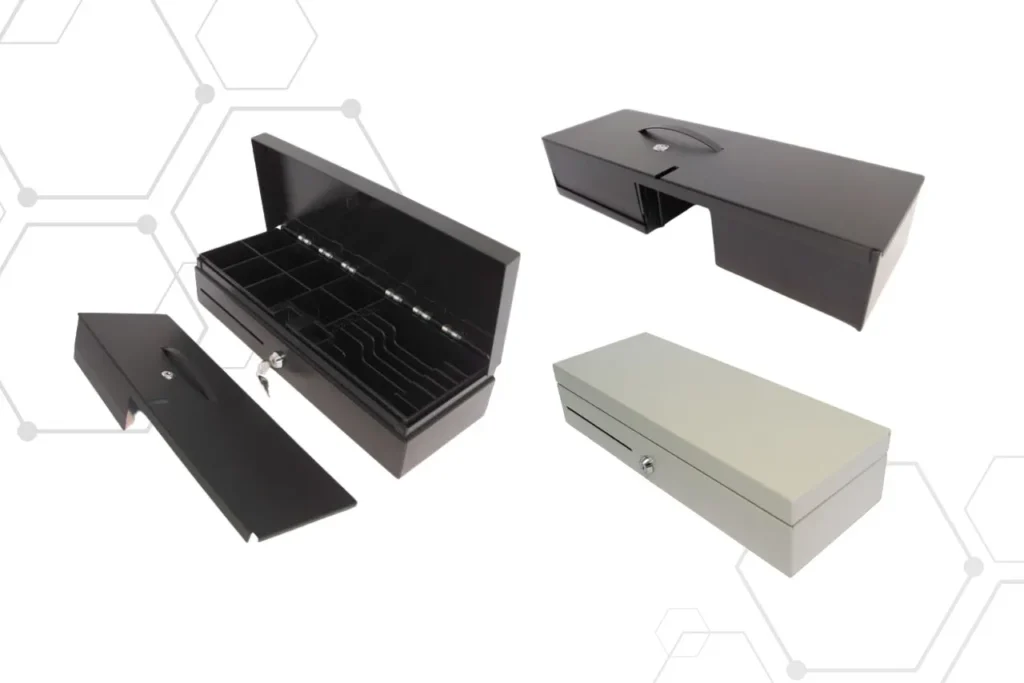
    SMK-460 FLIP TOP, a compact cash drawer for small spaces and high cash turnover

    Model SMK-460 is a response to the needs of places, where space is limitedThe compact size and robust steel housing ensure not only high functionality but also the security of stored cash. This drawer is perfect for applications such as self-checkout systems, ticketing and small points of sale.

    Flip-top cash drawer SMK-460 is equipped with a removable cassette with 5-6 compartments for banknotes and 8 compartments for coins. This solution allows for efficient organization of money, which significantly improves work efficiency. An additional advantage is three-level castle, ensuring a high level of security, and a micro switch enabling integration with POS systems. These features make SMK-460 a universal solution for modern businesses.

    Flip top cash drawers opening from the top with additional security

    Durable inserts into drawers

    Each cash drawer IMAGO is equipped with a dedicated insert with compartments, ensuring convenient and organized cash storage. These inserts are made of durable materials that withstand intensive use. Adjustable compartments allow for customization to individual needs, which will be particularly appreciated by employees handling large amounts of cash.

    Why is it worth choosing IMAGO cash drawers?

    IMAGO products combine modern aesthetics, solid construction and practical solutions for everyday work with cash. Both classic SMK models and compact FLIP TOP drawers offer functionality that modern points of sale expect.

    Here's what it is distinguishes:

    • Compatibility with POS systems, fiscal and receipt printers
    • Durable construction with metal and ABS plastics
    • High level security (lock, micro switch)
    • Ergonomic inserts with adjustable compartments
    • Aesthetics fitted for commercial and service interiors

    Need a solid and functional cash drawer for your shop, restaurant or service point? Check out the IMAGO Systems offer and choose the model that best suits your needs!

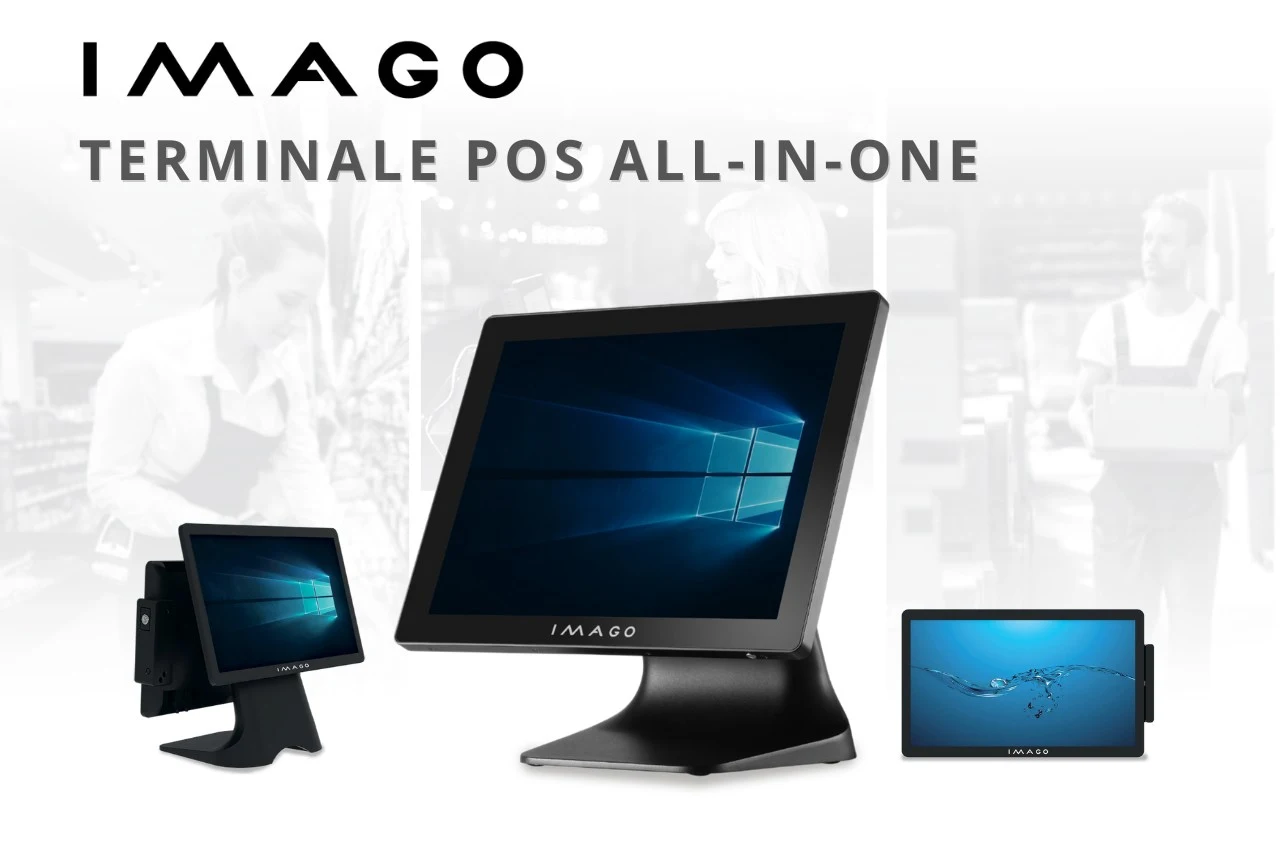
    POS Terminals – Compact All-in-One Solution

    All-in-One POS Terminals from IMAGO is a combination of functionality, compact form and reliability. See why AiO devices work well in retail outlets, catering establishments and many other industries throughout Poland.

    What are the benefits of All-in-One integrated terminals?

    All POS terminals in our offer are modern AiO (All-in-One) devices, or integrated solutions, in which the touch screen and key computer components – such as the processor, memory and disk – are enclosed in one compact housing. These terminals can be easily expanded with additional modules, such as card readers, NFC, fingerprint scanning, MSR (magnetic card reader), iButton or other peripherals. Such a design not only helps to keep the workstation tidy, but also allows for efficient use of space – which is particularly important in retail outlets, catering establishments and manufacturing plants with limited space.

    AiO Terminals eliminate the need for multiple separate devices such as a computer, monitor, card reader/MSR, which translates into fewer cables, faster installation and easier maintenance. Thanks to their compact form and integrated components, they can also be easily moved or transferred between stations – without having to disconnect numerous cables and accessories. In practice, this means less downtime, lower risk of failures caused by tangled cables and greater comfort of everyday work. Additionally, these terminals are often equipped with fanless cooling systems, so they operate quietly and reliably – even in demanding conditions.

    Technical parameters of IMAGO POS terminals, what is worth knowing?

    Modern POS terminals are distinguished by the possibility of adjusting technical parameters to the individual needs of users. The choice includes versions with the Windows or Android operating system, as well as various hardware options, such as processors Intel Celeron, Intel Core RK3568, i5 and, coming soon, N97. The RAM can be expanded up to up to 32GB DDR4, and the capacity of SSD drives is up to 512 GB. Built-in Wi-Fi and Bluetooth modules ensure convenient communication and smooth operation.

    The terminals are also equipped with a port for connecting a cash drawer, which allows for easy integration with devices such as fiscal printers, cash drawers or scales.

    The technology used in the devices guarantees smooth operation, which eliminates the risk of interruptions in work and supports trouble-free customer service. Thanks to this, POS terminals are an invaluable help in both small and large enterprises.

    The best of Imago solutions

    POS terminal AL-615 – efficiency and ease of use

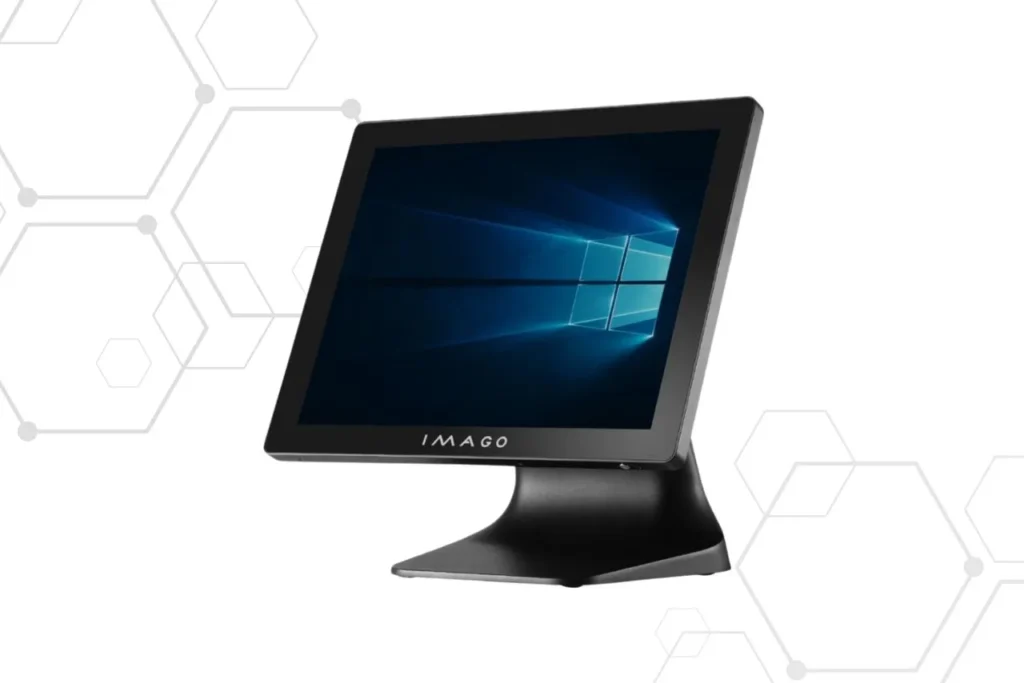
    The AL-615 is an all-in-one computer designed for demanding users. It features a 15.6-inch Full HD touchscreen with multi-touch, offers intuitive operation and exceptional comfort. The robust aluminum housing and fanless design ensure quiet operation and effective cooling.

    Technical specification IMAGO AL-615:

    • Screen: 15.6″ TFT LED, 1980 x 1080 resolution
    • Processor: Intel Celeron J6412, Intel Core i5 or (coming soon) Intel Core N97
    • Memory: Max 32GB DDR4 RAM
    • Housing: aluminum
    • Brightness: 350-400 cd/m²
    • Operating temperature range: 0 – ~50°C
    All-in-One POS terminals are integrated solutions in which the touchscreen and key computer components – such as the processor, memory and disk – are enclosed in one compact housing.

    POS terminal AL-515 – a classic in a modern edition

    The AL-515 features a 15-inch FHD screen and the ability to operate in temperatures from 0 to approximately 50°C, making it a versatile choice for various industries. With its advanced aluminum housing design, the terminal is both durable and aesthetic.

    Key Features of IMAGO AL-515:

    • Screen: 15" screen 1024 x 768 (4:3)
    • Processor: Intel Celeron J6412, Intel Core i5 or (coming soon) Intel Core N97
    • Memory: Up to 32GB DDR4 RAM
    • Housing: aluminum
    • Brightness: 350-400 cd/m²
    sales systems for gastronomy

    POS terminals AL-615A – Android and mobility in one

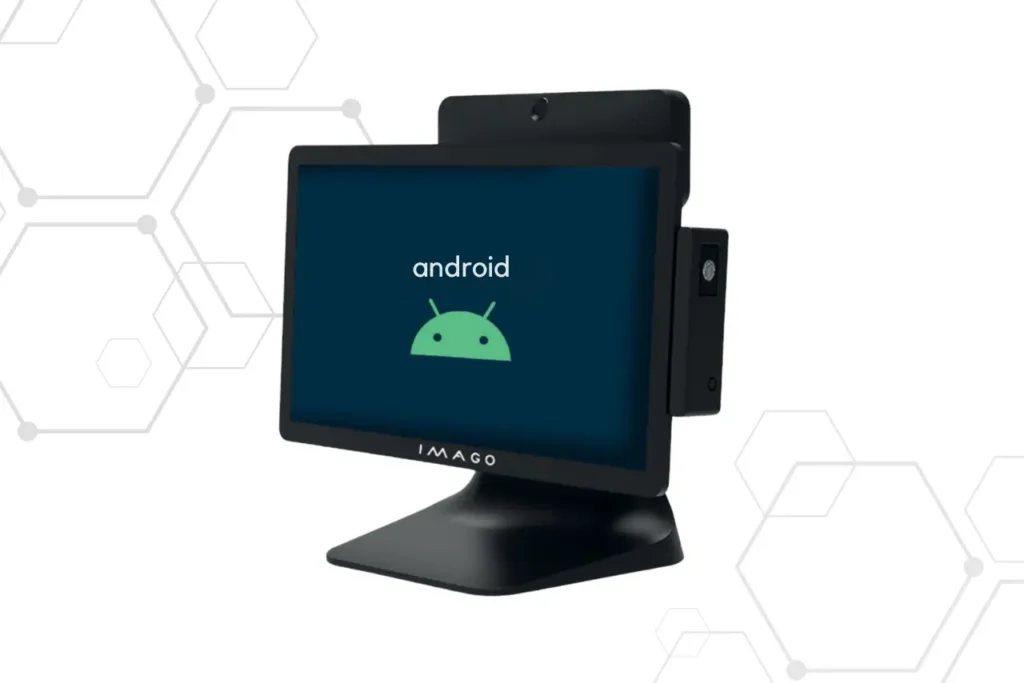
    IMAGO AL-615A runs on Android, which provides intuitive operation and wide compatibility with various mobile applications. The 15.6-inch Full HD screen, solid aluminum construction and the possibility of expanding with additional peripherals, such as NFC or fingerprint readers, make it an ideal solution for dynamic work environments.

    IMAGO AL-615A Specification:

    • Screen: 15.6″ TFT LED, 1980 x 1080 resolution
    • Processor: Intel Core RK3568
    • Operating system: Android
    • Memory: 4GB RAM
    • Housing: aluminum
    • Brightness: 350-400 cd/m²
    • Operating temperature range: 0 – ~50°C
    AiO terminals eliminate the need for multiple separate devices such as a computer, monitor, card reader/MSR, which translates into fewer cables, faster installation and easier maintenance.

    Why is it worth choosing these devices?

    Deciding on POS terminals, entrepreneurs gain solutions that significantly simplify business operations. Their robust and compact design, reliable operation, and adaptability to changing requirements make these systems indispensable for teamwork. They support effective customer service, optimize business operations, and improve overall organizational efficiency. 

    How to streamline the process of dimensioning and issuing shipments? Reliable trio

    Automation of dimensioning and issuing of shipments

    In a dynamic logistics environment where every element of the process must run smoothly, Efficiency of shipment handling is crucialThe more tasks you can automate, the greater the chance of avoiding errors, improving work organization and speeding up the entire chain of operations.

    One of the places where delays and inaccuracies are still easy to find is when parcels are measured and weighed. Manually entering data, copying measurement results into the system, having to confirm each operation - all this takes time and engages the employee in activities that could be performed much more efficiently. This is where the problem comes in. an integrated solution that combines the functionality of an electronic measure, scale and panel computer — creating one, coherent system for quickly processing shipment information.

    How does this solution work?

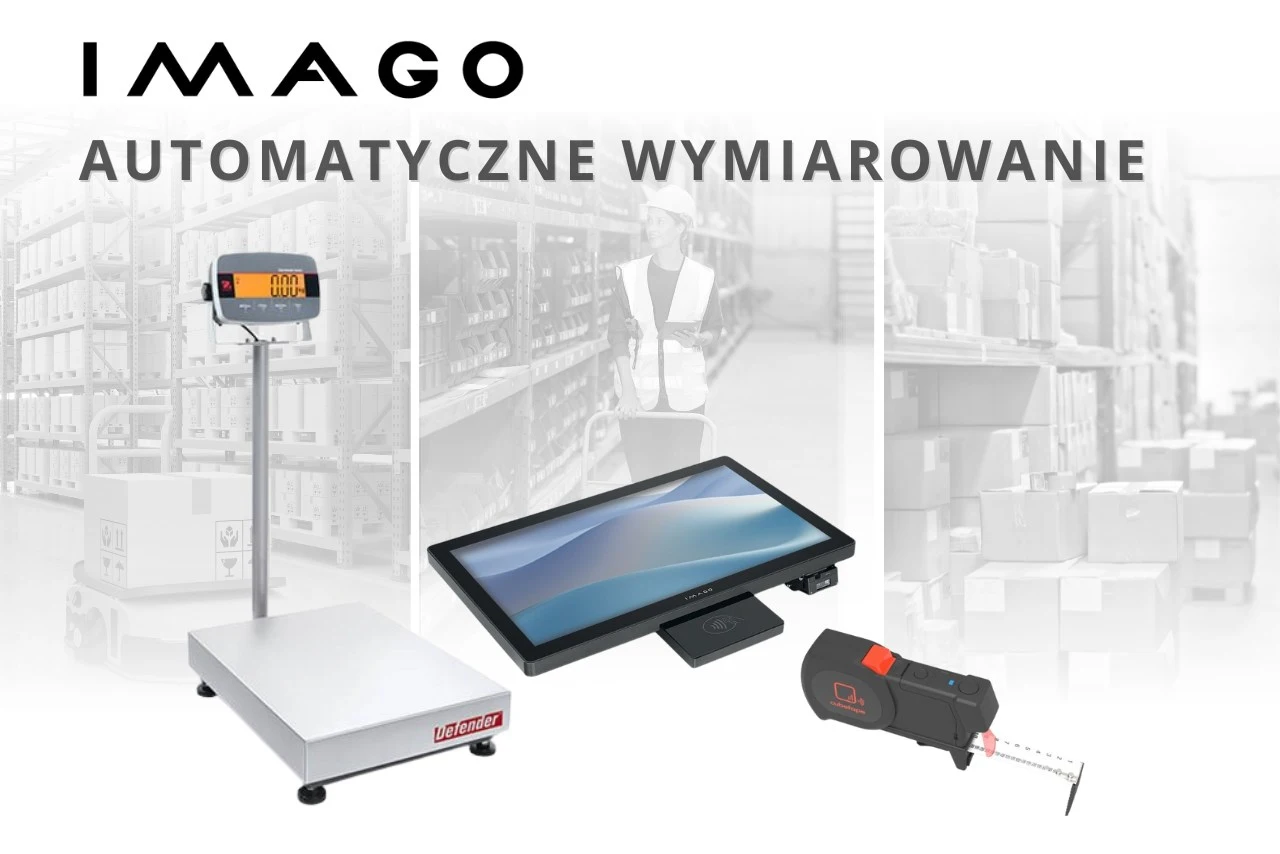
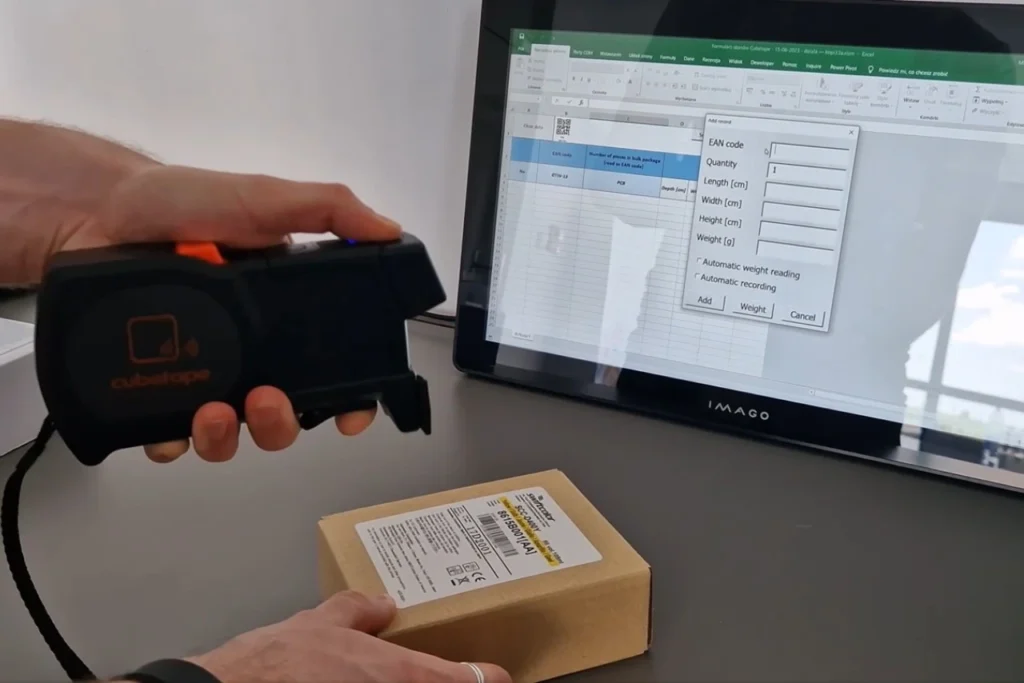
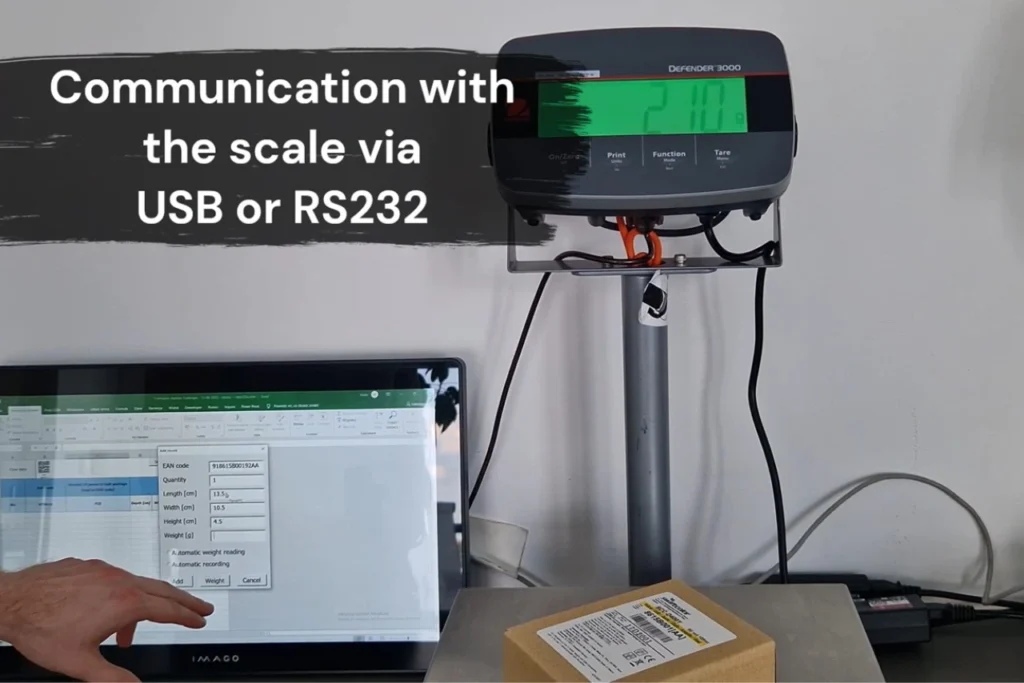
    The whole thing is based on three devices: Cube Stage, ISK panel computer from Imago Poland and weight Ohaus. Cubetape is an electronic measuring cup, which connects to a computer via Bluetooth, to which the scale is connected by cable, via the RS232 port. Thanks to the dedicated application, the entire process takes place almost without the operator's participation - measurements are sent to the system automatically, without the need for manual entry.

    The employee scans the package code and measures its dimensions. The data is immediately transferred to the computer. At the same time, the scale registers the weight of the shipment, and the system saves the full set of information. When the operator scans the next package, the data of the previous one is already saved, and the system smoothly moves on to the next measurement.

    This approach allows for almost complete elimination of the need for computer operation during dimensioning – all information is transmitted and saved in the background. Moreover, automatic and accurate measurements reduce the risk of costly errors. Many logistics operators charge additional fees if the dimensions or weight of the package do not match the reality. Even a few centimeters of difference can mean a large surcharge – especially with a large number of shipments. Therefore, precision at this stage is not only a matter of order, but also real savings.

    ISK panel computer combined with Cubetape electronic measuring cup and Ohaus scale

    What does the company gain from such a solution?

    The implementation of an integrated system for dimensioning and weighing translates into a number of benefits, especially where speed and accuracy are important. Among the most important advantages, it is worth mentioning:

    • Data automation – the system itself records dimensions and weight, without employee involvement.
    • Error reduction – measurements are not entered manually, so the risk of errors is reduced to a minimum.
    • Saving time – the process is faster and more predictable.
    • Easier integration with WMS systems – the data is ready for use in further stages of the logistics process.
    • Better work organization – the employee can focus on operational tasks rather than on entering data into the computer.

    This approach not only simplifies day-to-day operations, but also allows for greater control over the quality of shipment handling.

    Who might find it useful?

    This solution works particularly well in places where a large number of parcels are processed. It is used by, among others:

    • courier and transport companies,
    • logistics centers and e-commerce warehouses,
    • manufacturers shipping goods directly to partners, customers or sales networks.

    Regardless of the size of the company, anyone who wants to increase efficiency in packaging and preparing shipments can really benefit from implementing such a solution.

    integrated system for dimensioning and issuing shipments

    Simple, effective, no complications

    What sets this system apart most is its intuitiveness and ease of implementation. It doesn't require major organizational changes or lengthy employee training. It's technology that truly simplifies work. All you need is panel computer, cubetape measure and scale.

    Instead of entering data manually, you can let the entire process run automatically – faster, more accurately, and without unnecessary stress. And it is precisely this kind of work comfort that increasingly determines the operational success of companies.

    IMAGO TREE Kiosk Solutions

    What are IMAGO TREE kiosks and why is it worth using them?

    Modern self-service stations are the future of customer-company interaction. IMAGO TREE delivers solid, modular steel structures that provide a basis for integration with touch screens, self-service systems and other components. Thanks to precise workmanship and the ability to adapt to specific requirements, IMAGO TREE solutions allow for the optimization of customer service, shortening queues and reducing operating costs. This is a perfect solution for companies looking for an aesthetic and functional design for their self-service devices.

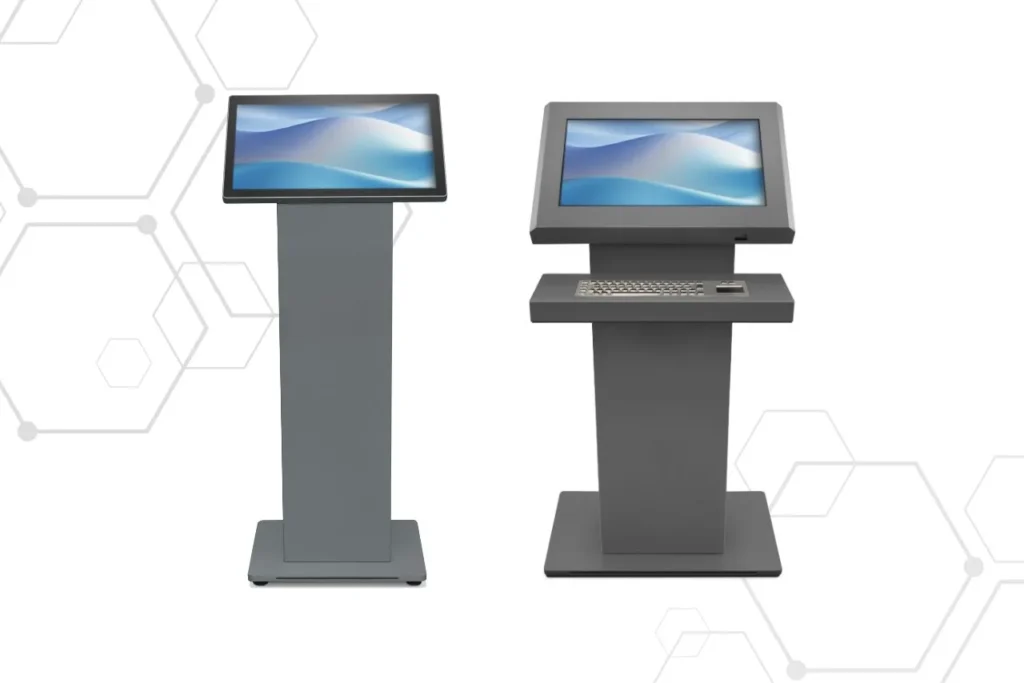
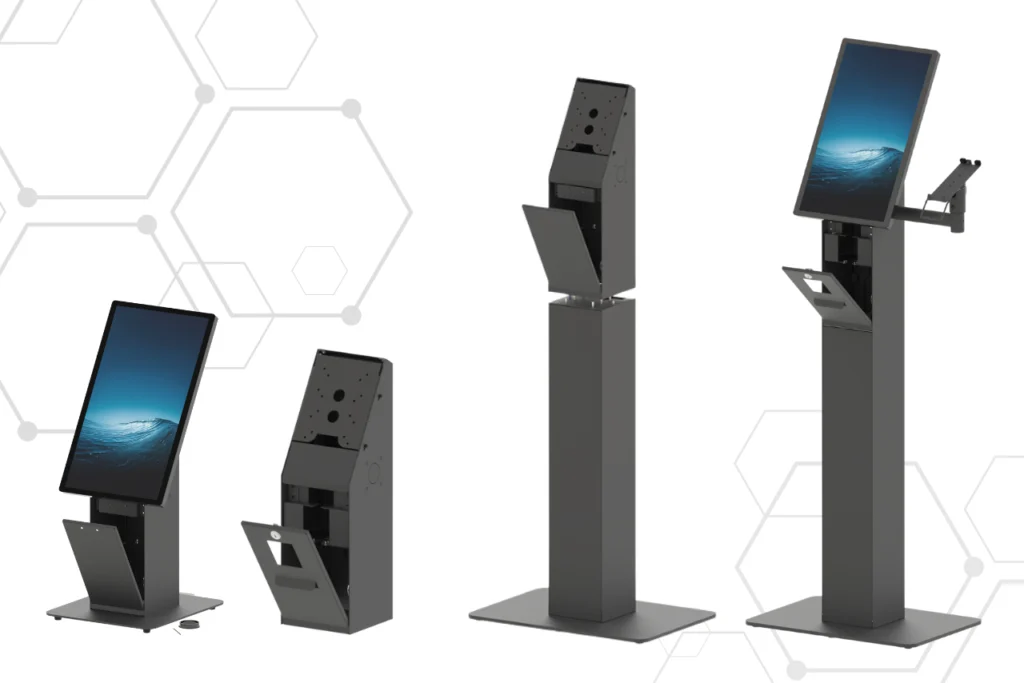
    Two versions to choose from – free-standing and desk-mounted

    IMAGO TREE offers kiosks in two variants: freestanding and desk. Both versions are made of high-quality powder-coated steel, which ensures durability and a modern look. Their minimalist design allows for harmonious integration into commercial, retail, hotel and public spaces.

    The design of the kiosks allows for easy integration of touch screens, self-service systems and interactive applications, making them a universal solution for various industries.

    Customize kiosks to your needs or choose a ready-made solution

    IMAGO TREE gives you complete freedom to adapt kiosks to specific requirements. You can order models without cutouts, with specially prepared holes for your devices, or use models with cutouts adapted to popular devices such as:

    • Scanners: Newland NLS FM3080, DATALOGIC 1500i, MINDEO MP150, Newland NLS FR27,
    • Printers: Epson TM-m30II, HPRT TP808, CHD TM-TH508, CPE-K3-F Eth, CITIZEN CT-E351.

    What's more, the kiosks support the assembly system VESA, allowing easy installation of panel computers or additional accessories.

    Modularity and flexibility of configuration

    Each model can be equipped with additional elements such as:

    • Arms with holders for payment terminals,
    • Barcode reader holder,
    • Various VESA mounting standards,
    • Other additional modules to extend functionality.

    This allows you to create a kiosk tailored to the specifics of your business and the needs of your customers.

    kiosks, free-standing kiosk housings for shops, restaurants, pharmacies, and points of sale

    Why is it worth choosing IMAGO TREE?

    IMAGO TREE is a solution for companies that want to streamline self-service processes and increase user comfort. Their robust design, customization options, and versatile applications make these kiosks ideal for commercial spaces, retail, hotels and public institutions.

    Imago Tree – or how to increase the functionality of the workplace?

    POS mounting system IMAGO TREE is a solution designed to optimize workspace. Thanks to its modular design and wide personalization options, the system will work well in various environments, such as production lines, warehouses, checkout stations or customer service areas. What are the key features and applications of this system?

    Versatility and modularity

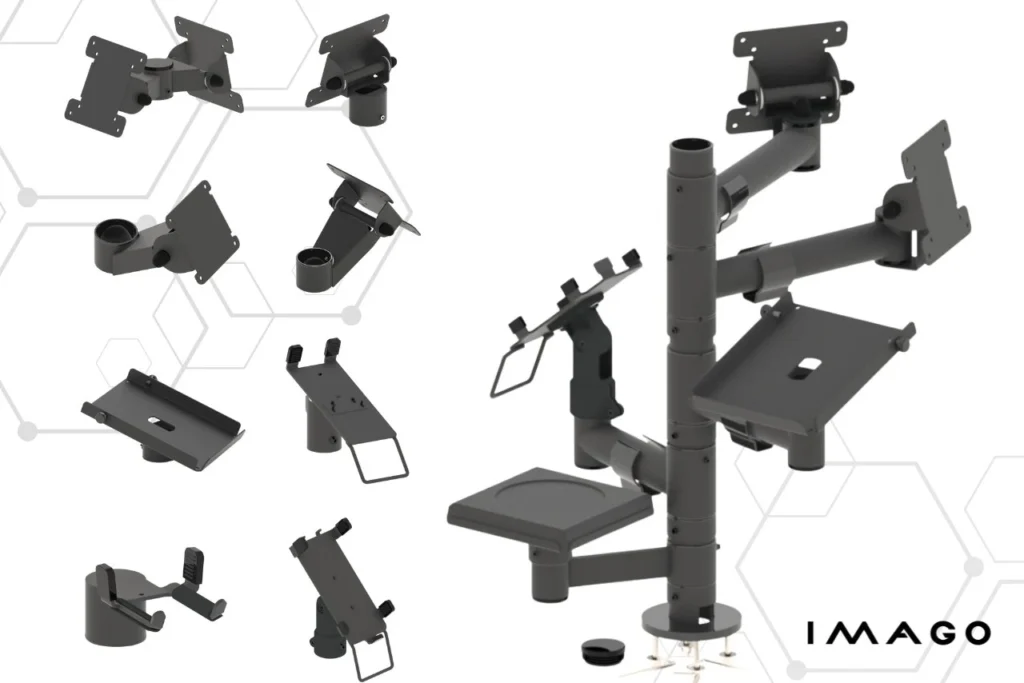
    The system offers a wide range of components that can be freely combined and adapted to the user's needs. POS system includes:

    • Base posts in various lengths, with optional cable holes.
    • Mounting arms in many variants (with cutout, without, reinforced, rotating, extendable).
    • Handles adapted to devices such as payment terminals, barcode readers and keyboards.
    • Printer Bases and other accessories supporting the organization of the workstation.

    This design flexibility allows you to build a system that perfectly meets the specific requirements of a given workplace, which translates into better ergonomics and efficiency.

    Main components of the system IMAGO TREE

    Base Posts – the foundation of the system

    The base posts are the base to which the remaining elements are mounted. Their length and the arrangement of cable holes can be adjusted to the user's requirements. This makes installing the system anywhere quick and convenient.

    Mounting Arms

    Mounting arms are available in several variants:

    • With a cutout – provide a greater range of motion, e.g. for VESA mounts or payment terminals.
    • No cutout – guarantee greater stability, ideal for printer stands or money trays.
    • Reinforced – for mounting heavier devices such as monitors or keyboards.
    • Pull-out – perfect for positions where the device must be temporarily moved or moved away, e.g. in warehouse work.
    • Rotary – they allow you to freely position devices at different angles, which is particularly useful at customer service points.

    Additionally, the arms can be equipped with cable holders, making it easier to manage cables and keep them tidy.

    Holders for payment terminals

    These handles are compatible with terminals of leading brands, such as Verifone Whether Ingenico. Tilt and rotation angle adjustment increases comfort of use, and solid construction ensures resistance to intensive use. This is an ideal solution for checkout stations, where both functionality and safety of devices are important.

    Barcode scanner holders

    Solid and ergonomic holders for barcode readers enable their stable storage and easy access during work. Tilt angle adjustment allows you to adjust their position to the user's preferences, which significantly affects work comfort.

    VESA mounts

    These universal mounts are perfect for mounting monitors that comply with industry standards. VESA (e.g. 75×75 mm, 100×100 mm). Adjusting the screen position in different planes improves ergonomics, which is crucial in offices or customer service points. For larger monitors that require greater stability, there are reinforced VESA mounts. These special designs provide additional support and minimize the risk of damage to heavier equipment.

    Keyboard holders

    These holders ensure a stable and ergonomic keyboard position at the workstation. Position adjustment and safety systems guarantee comfort and precision, especially in environments where intensive computer work is an everyday occurrence.

    Printer Bases

    Stable bases for fiscal, labeling or office printers are made of durable materials that are resistant to mechanical damage. Their design allows for quick access to the device, which increases efficiency. in places with high document turnover, such as shops or warehouses. A universal base option is available that fits many popular printer models, such as: THERMAL HX ONLINE, BONO ONLINE, HD II ONLINE, ELZAB Mera ONLINE BT/WiFi/LAN 2100.

    Money trays

    Aesthetic and functional money trays make it easy organization of cash at cash desks. Thanks to the variety of sizes and shapes, they can be easily adapted to a specific workspace, which improves the cashier's work efficiency.

    Ready-made assembly systems POS

    For those looking for an immediate solution, IMAGO TREE offers ready-made POS mounting kits. Each set consists of a base post and selected elements such asVESA mounts, printer stands, terminal holders and money trays. Thanks to this, the client receives a comprehensive solution that can be installed and used immediately.

    Imago Tree - VESA mounts, printer stands, gas posts, ready-made solutions, holders for payment terminals

    Personalization

    One of the greatest advantages of the IMAGO TREE system is its ability to full personalization. Most elements can be customized to meet specific requirements. Additionally, the IMAGO team offers support in selecting the best solutions, helping to create an ergonomic and efficient work environment.

    IMAGO TREE – configure according to your needs

    The IMAGO assembly system is a comprehensive and flexible solution for any workspace. Thanks to its high-quality workmanship, modularity and wide personalization options, it allows you to optimize work and increase staff efficiency. Regardless of whether you manage a production line, a point of sale or an office, IMAGO TREE will provide solutions perfectly tailored to your needs.

    Which Panel Computer to Choose? ISK, DSP and PI Series from IMAGO

    Each work environment requires solutions tailored to its specificity. Panel computers are versatile devices that work well in many industries, bringing benefits in the form of improved productivity, process optimization and increased operational efficiency.

    IMAGO offers a wide range of panel computers designed for demanding industrial and commercial applications.

    ISK Panel Computer Series - Optimization production processes

    PC panels IMAGO ISKs are advanced devices designed for the manufacturing industry. They combine a robust design, an intuitive touchscreen interface, and extensive configuration options, supporting process optimization and efficient management.

    Key Features of the ISK Series:

    • Screen sizes – 15″, 18.5″ and 21.5″, allowing you to adjust the device to different work spaces.
    • Touch technologies – capacitive screen – precise and resistant to interference, ideal for tasks requiring precision, or resistive – suitable for more difficult conditions, such as working with gloves.
    • Resistance – powder-coated steel housing, operation at temperatures from 0°C to approx. 50°C.
    • Flexible configuration – Intel N97, Core i3, i5 processors; RAM up to 32 GB; SSD drives up to 512 GB.

    Panel personalization options:

    • Zebra Scanner MS4717 – precise reading of 1D and 2D barcodes.
    • Mifare/NFC or Uniq RFID Readers – supporting access control, material flow monitoring and operator identification.

    ISK computers are a reliable tool combining modern technology and practical functions, making them a key element of modern industrial plants.

    ISK industrial panel computers from Imago Poland with RFID/NFC and 2D Zebra readers

    DSP Series – Universal in a modern form

    The DSP line includes panels designed for a wide range of applications, such as digital signage systems, KDS computers, virtual fitting rooms, and customer assistants. These devices are distinguished by their high quality and affordable price.

    The most important parameters of the DSP panel computer series:

    • Screens – from 10” to 22”, which allows the device to fit into various spaces.
    • Processors – Intel N97, Intel Core i3 or i5 – options to suit different performance requirements.
    • RAM and SSDs – up to 32 GB RAM and 512 GB SSD, guaranteeing fast and reliable operation.
    • Versatile interfaces: USB, HDMI, LAN, Wi-Fi – enabling easy integration with other systems.

    DSP Applications:

    • Creating interactive spaces in retail outlets.
    • Implementation of industrial tasks where an intuitive interface is required.
    Imago Poland KDS DSP series panel computers

    PI Series Industrial Panel Computers – Durability for extreme conditions

    The PI series is advanced industrial computers, designed to operate in even the harshest environments. PI panels are exceptionally robust, durable, and offer a wide range of configuration options, making them ideal for demanding industrial, logistics, and food applications.

    Key features of PI industrial computers:

    • Housing versions:

    Powder-coated steel housing with seal (IP65) – protects against dust and water, irreplaceable in very dusty or humid conditions.

    industrial panel computer made of powder-coated steel

    Powder-coated steel housing without seal – optimal for standard industrial conditions, ensuring durability and versatility.

    Stainless steel casing – corrosion-resistant, dedicated to sectors where hygiene and durability are key, e.g. in the food, meat processing or chemical industries.

    industrial panel computer
    • Resistance to extreme conditions – these devices ensure reliability in environments with high humidity, dust or temperature fluctuations.
    • Processor Options – Intel N97, Core i3, Core i5.
    • Development – RFID, NFC readers, 2D scanners, cable glands, sealed I/O ports for additional protection.

    PI series applications:

    • Heavy industry – reliable operation in difficult conditions, such as mines or steelworks (high dustiness).
    • Food industry (e.g. meat industry) – high resistance to moisture and corrosion, which is crucial in the production of food and beverages.
    • Chemical and pharmaceutical industry – solid materials and the possibility of making coatings resistant to salt and aggressive chemicals.

    Computer panels PIs offer flexibility and performance, combining modern technology with maximum durability, making them indispensable in applications requiring reliability and advanced management functions.

    PI Series Panel PCs Sealed Stainless Steel

    Why choose IMAGO panel computers?

    IMAGO brand panel computers combine innovation, solid construction, and flexible configuration. These devices are designed for maximum performance, durability and reliability, which makes them an ideal choice for companies looking for proven technological solutions.

    If you would like to learn more about IMAGO panel computers or need support in choosing the right model, please contact our specialists.