

Panel PCs in Industry. Where Are They Used and How to Choose the Right Panel PC?
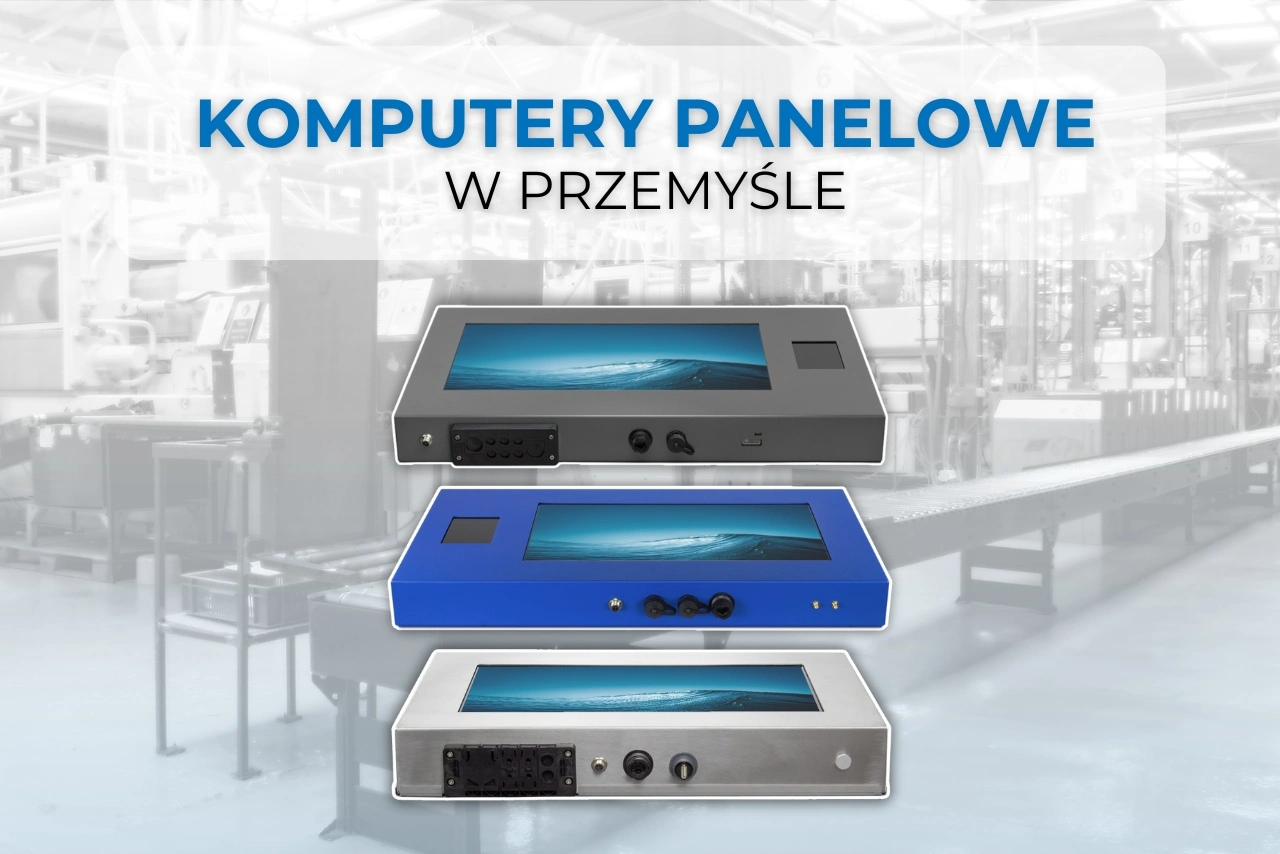
In what areas can panel computers improve industrial processes? Why are all-in-one devices more often used in production halls instead of a standard computer connected to a separate monitor? Does a touchscreen really work when working with gloves, in dusty environments, or in high humidity?
Panel computers in industry most often function as operator stations, production terminals and data recording and display devices. They combine a computer and a screen in one housing, They take up less space, require fewer cables and can be mounted directly on the machine, production line or quality control station.
However, not every Panel PC will be suitable for production work. Before choosing a device, it's worth checking, how to choose an industrial computer for difficult conditions, taking into account not only the processor and memory parameters, but also the housing design, touch technology, cooling method, tightness and the possibility of connecting devices used in a given process.
Panel PC applications. Where does such a computer work best?
The PC panel can be used wherever the operator needs quick access to the system, production data or documentation, and a classic computer set would take up too much space or be vulnerable to damage.
The most common applications of panel computers in industry are:
- support for MES, ERP and SCADA systems,
- controlling and supervising the operation of machines,
- registration of the start and end of orders,
- displaying production instructions,
- reporting downtime and failures,
- quality control,
- employee identification,
- employee working time registration
- recording production batches,
- warehouse and internal logistics management,
- scanning product and component codes,
- monitoring results and process parameters.
The panel computer can be mounted on an arm, VESA mount, wall, machine housing or directly at the workstation. In practice, the operator does not need to leave the line to check the production plan, report a problem, or confirm that a task has been completed.
The device can also function as an industrial kiosk, employee terminal, or access control point. When expanded with an RFID, NFC, or 2D barcode scanner, it can identify an employee, product, container, pallet, or specific batch of material.
Touchscreen computer in production. Does it work?
Yes, a touchscreen computer can work very well in production, but only if the screen technology is adapted to the actual working conditions.
It's not a good idea to choose a touchscreen based solely on the fact that the screen is "industrial." Consider factors such as whether operators wear gloves, whether the screen can get wet, how often it will be cleaned, and whether using the program requires precise gestures.
Resistive screen
Resistive touch responds to pressure. It can be operated with a finger, a stylus, or even with most work gloves. This makes it ideal for workspaces where employees cannot remove their gloves while operating a computer.
It's a popular choice for manufacturing plants, warehouses, cold storage facilities, and environments exposed to moisture or dirt. However, a resistive screen can be less comfortable for applications that require frequent scrolling, zooming, or multi-finger operation.
PCAP capacitive screen
The capacitive screen works similarly to a smartphone screen.. It's responsive, smooth, and comfortable to use. It performs well in clean, dry environments and in positions where the operator works without gloves or wears gloves compatible with capacitive screens.
Industrial PCAP screens can be designed for use with gloves, but before purchasing, it's best to test the device with the exact type of gloves used in your facility. The same applies to working in the presence of water, grease, or cleaning agents.
It's best to test the device in real-world conditions. Specifications don't always indicate how the screen will perform in a specific environment.
Why are All-in-One computers used in production?
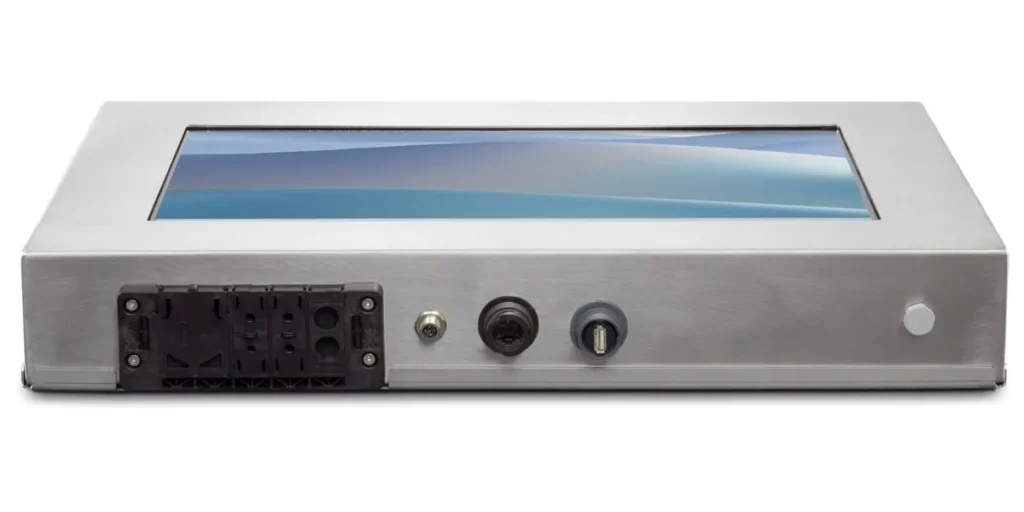
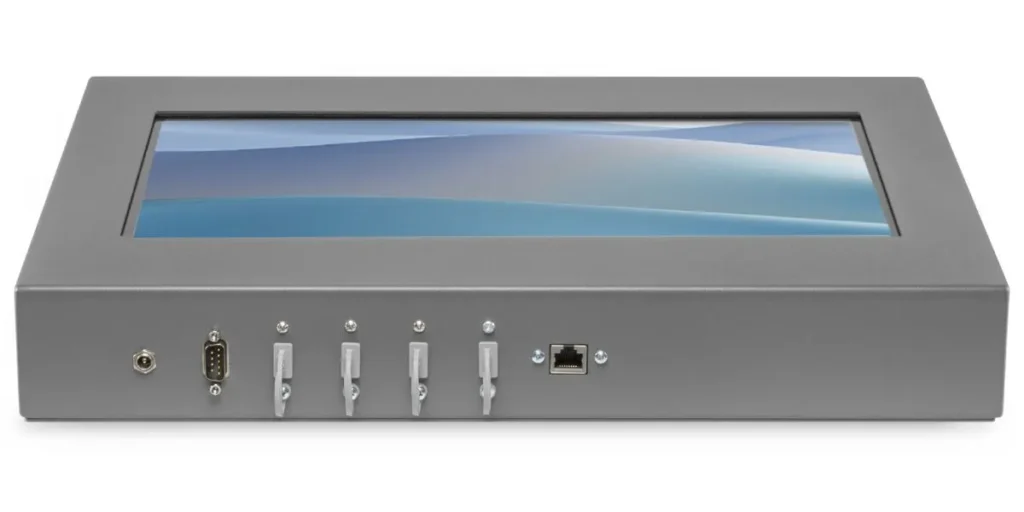
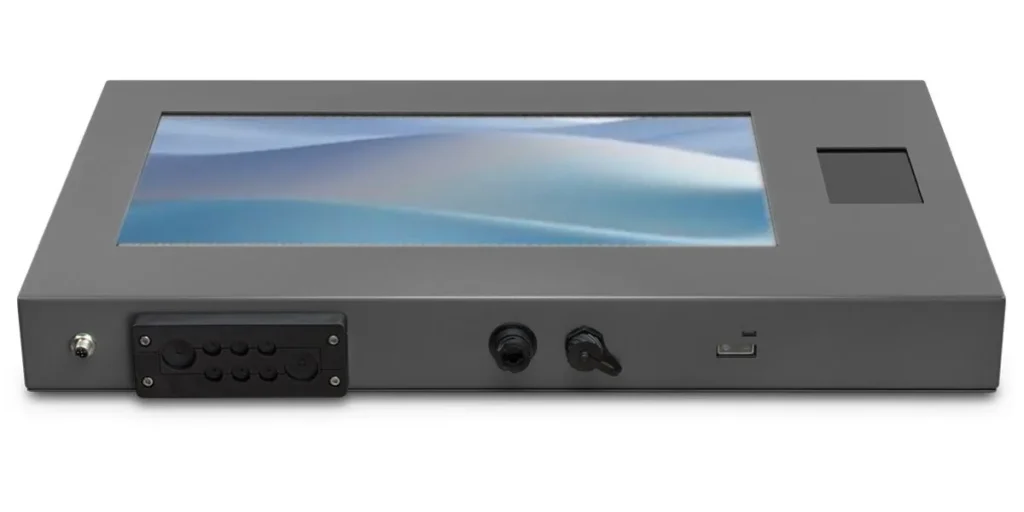
A major advantage of panel PCs in industry is the combination of the display and computing unit in a single housing. In an industrial environment, it's not just about saving space. Fewer separate devices and cables are needed. makes installation easier, reduces the number of potential failure points and allows for better protection of the entire station.
A standard office computer requires a separate monitor, signal cables, a power cable, and space for the CPU. In a production environment, this configuration can be difficult to install and maintain. Cables can become accidentally disconnected or damaged, and fans can suck in dust and other debris.
The PC panel can be mounted in a convenient location for the operator and connected to the workstation infrastructure. Depending on the configuration, it can also be used sealed ports, cable entries and industrial M12 connectors.
Fanless Panel PC. Why Does It Matter?
Industrial computers often use passive cooling, a fanless design. Heat is dissipated through the casing, without drawing air into the device.
The lack of a fan limits dust entry, fine filings, and other debris from entering the computer. It also reduces the number of moving parts that can wear out.
Fanless panel computers are particularly useful in places where:
- high dustiness,
- dust from material processing,
- limited possibility of regular servicing,
- the need for continuous work,
- the need to reduce noise.
However, simply stating a fanless design isn't enough to evaluate a device. You also need to consider its operating temperature range, heat dissipation method, and whether the computer will be mounted in a location that ensures adequate air circulation.
Stainless steel or powder-coated steel?
The type of enclosure chosen should be based on the environment the computer will be operating in. Not every workstation requires a stainless steel enclosure and complete sealing. However, using a standard enclosure in a cold store, meat processing plant, or an area regularly pressure-washed can quickly damage the device.
Powder-coated steel panel computer
The powder-coated steel housing is suitable for many standard manufacturing, warehousing, and logistics environments. greater mechanical strength than a typical office device housing, while remaining an economical solution.
Depending on the conditions, the computer may be equipped with additionally sealed ports, a cable gland or industrial connectors.
Stainless steel panel computer
Stainless steel panel computers are recommended in environments, where there is increased humidity, risk of corrosion, frequent washing or contact with chemicals.
Such computers are used, among others, in:
- food industry,
- meat and fish plants,
- cold stores,
- pharmaceutical industry,
- chemical industry,
- shipyards,
- establishments requiring frequent disinfection.
In some environments it may also be necessary additional protection against the effects of salt or aggressive cleaning agents. Therefore, before selecting a housing, it is worth thoroughly describing to the supplier how the station will be cleaned and the substances with which the device may come into contact.
What does IP protection class mean in a panel computer?
The IP rating indicates the level of protection the enclosure provides against solid objects and water. However, it does not automatically guarantee the same level of protection for the entire device.
Some computers only have a sealed front, while the ports on the back of the device require additional protection. Other models protect the entire case, including ports and cable entries.
Before purchasing, you should determine:
- whether the given IP rating applies to the front or the entire device,
- how are I/O ports secured,
- whether the computer will be washed, flooded or only exposed to moisture,
- from what direction can the water come,
- whether the cables will remain connected during cleaning,
- whether a cable gland or M12 connectors are required.
The level of tightness should be tailored to the actual threat. A screen installed in a dry hall requires different protection than a terminal located at a station that is regularly cleaned with water.
Which panel computer should you choose for industrial automation?
There is no single best panel computer for every application. It can be helpful to choose comparison of available panel computer series, as individual models differ in design, configuration options, and intended use. In industrial automation, a device that is best suited to the software used, installation method, environmental conditions, and connected peripherals will perform best.
Before choosing, it is worth answering a few questions.
What software will be run?
A simple terminal for recording attendance or displaying instructions does not need the same performance as a computer running an extensive MES system, process visualization, image analysis or several applications simultaneously.
It's important to check the requirements for the processor, RAM, disk, and operating system. It's not worth overpaying for unused performance, but under-configuration can slow down the operator's work and hinder future system expansion.
What devices will be connected?
In industrial automation, ports are often needed LAN, USB, RS-232, RS-422 or RS-485 serial ports, additional image outputs and the ability to connect identification devices.
The computer can work with, among others:
- RFID or NFC reader,
- 1D and 2D code scanner,
- label printer,
- Libra,
- PLC controller,
- camera,
- sensors,
- access control system.
It's best to determine the number and type of ports before ordering. Subsequent use of multiple adapters and hubs can reduce the reliability of the workstation.
Where will the computer be mounted?
Consider the available space, mounting standard, screen position, and cable management. It's also important to consider whether the operator will be operating the device while standing, sitting, or moving.
The screen size should be determined by the application. For simple operation confirmation, a smaller screen may be sufficient. When displaying complex tables, diagrams, and visualizations, a larger screen size and higher resolution will improve readability.
Will the computer work 24/7?
If the workstation operates in shifts, the device should be designed for stable 24/7 operation. It's worth paying attention not only to the manufacturer's declaration, but also to the cooling method, operating temperature, quality of components used, and the possibility of subsequent servicing.
A computer alone isn't enough. The supplier is also important.
When purchasing a panel computer, it's worth looking for a manufacturer or supplier who doesn't limit themselves to selling a single pre-built configuration. Industrial equipment should be tailored to a specific process, not the other way around.
A good supplier should help you determine:
- appropriate type of housing,
- touch screen technology,
- required level of tightness,
- processor, memory and disk configuration,
- type of connectors,
- method of assembly,
- necessary modules and readers,
- possibility of preparing a test configuration,
- service and parts availability.
It is also worth asking whether the configuration will be available in future years. Industrial plants often implement a single test bench and then expand the system with additional devices. Significant differences between hardware versions can later complicate administration and maintenance.
Panel PCs in Industry: The Most Common Mistakes When Choosing One
One of the most common mistakes is choosing a computer based solely on processor and price. In practice, problems more often stem from incorrect screen, too few ports, lack of tightness or poorly planned installation.
The following may also be problematic:
- use of a PCAP screen without checking the gloves used,
- assuming that the given IP class applies to the entire device,
- no protection of cables and ports,
- assembly without taking into account heat dissipation,
- choosing a housing that is not resistant to the cleaning agents used,
- no possibility of connecting older industrial devices,
- purchasing a model that cannot be ordered later in a similar configuration.
A well-chosen panel PC doesn't have to be the highest-performance device available. Above all, it should be durable, easy to use, and compatible with the facility's infrastructure.
IMAGO industrial panel computers
IMAGO provides industrial panel computers designed for production stations, quality control systems, logistics, warehouses and demanding industries such as the food, pharmaceutical and chemical industries.
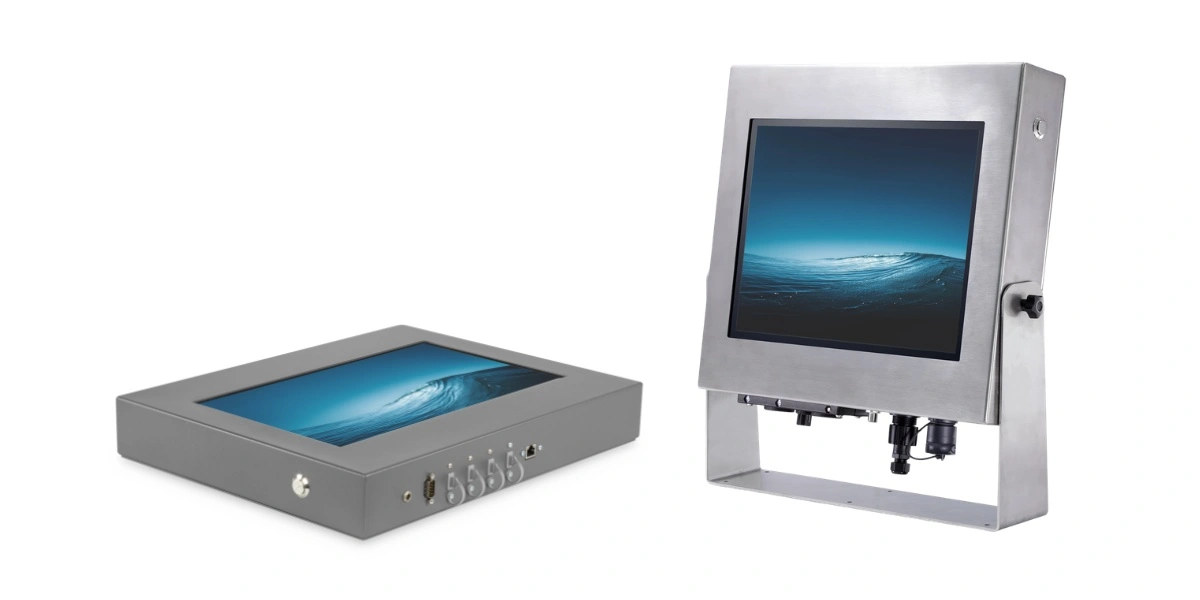
PI series panel computers They can be configured in powder-coated steel or stainless steel enclosures. Depending on the design, various processor variants, capacitive and resistive screens, sealed ports, cable entry points, M12 connectors, and built-in RFID, NFC, and 2D barcode scanners are available.
This allows the device to be tailored not only to the application's requirements, but also, and above all, to the specific conditions of a specific workplace. In the case of industrial panel computers, this customization often determines the reliability of the entire solution. Contact us and let's configure the device for your environment.
