

New Mini PCs in the IMAGO offer – SPC480 and N6E
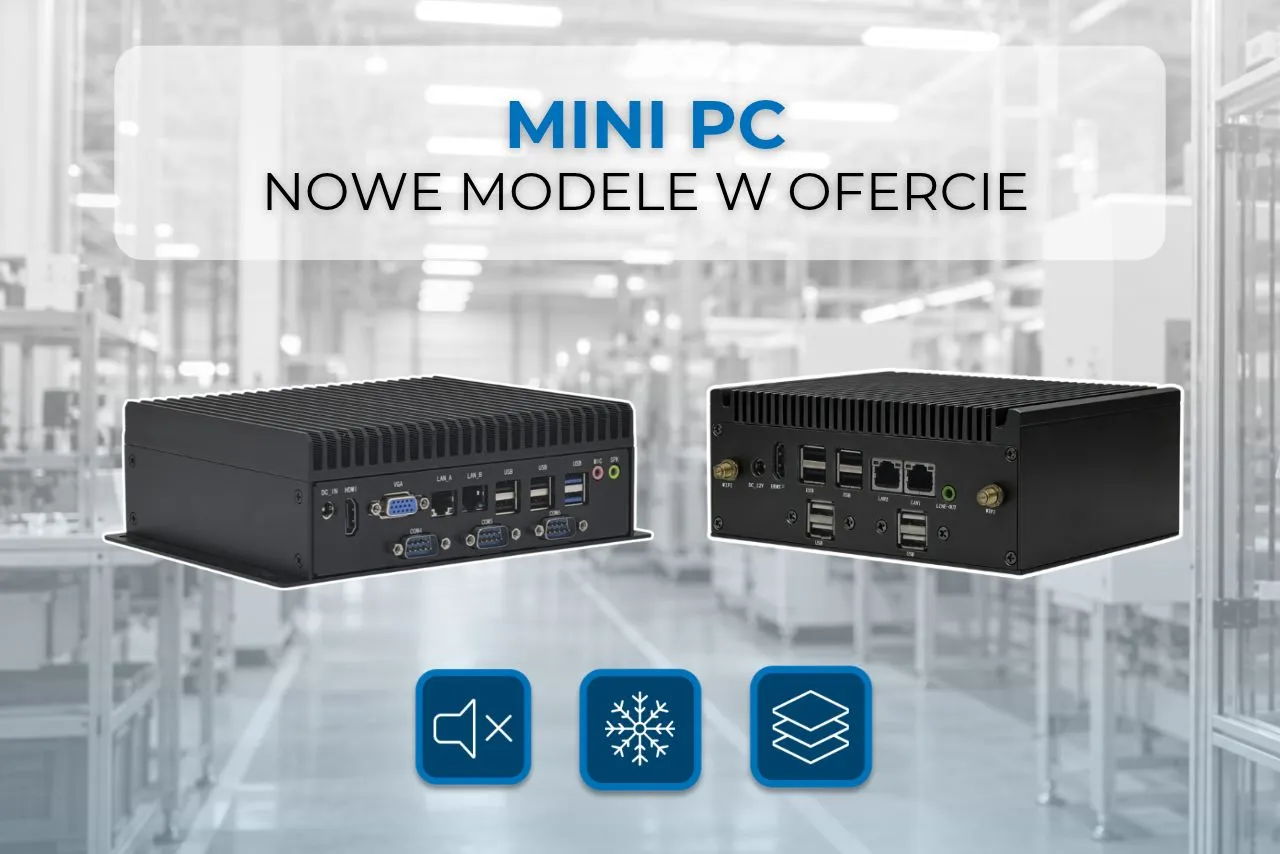
Not every workstation has room for a traditional desktop computer. Industrial automation, production lines, or point-of-sale applications often require compact devices that can be easily integrated with other system components. Performance is crucial, as are the number of available ports, cooling options, and the ability to customize the configuration to suit specific applications.
Two new computers join the IMAGO offer. mini PC – IMAGO SPC480 and IMAGO N6E. Both models utilize passive cooling and feature compact form factors, but differ in processors, interface options, and expandability. This allows them to address diverse automation, networking, and external device support needs.
Mini PC for industry – what to pay attention to when choosing?
Small box PCs are used wherever a traditional computer would take up too much space or lack the necessary interfaces. They can support industrial applications, communicate with controllers, work with peripherals, or form part of a larger system.
Before choosing a specific model, it is worth checking a few things:
- Processor and RAM – should meet the requirements of the software used.
- Available ports – Depending on the application, additional USB, COM or LAN ports may be needed.
- Cooling system – fanless designs are suitable for applications where quiet operation and limited number of moving parts are important.
- Expansion possibilities – additional memory, SSD drives and communication modules allow you to tailor the computer to a specific project.
- Installation conditions – the dimensions of the housing, the method of installation and the operating temperature are important.
These are the aspects worth taking into account when comparing the two new IMAGO models.
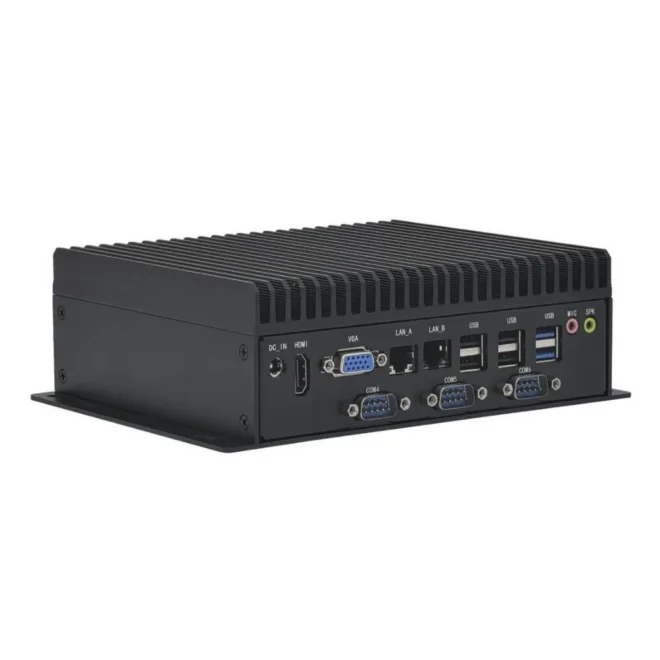
IMAGO SPC480 – Intel Core performance and extensive device connectivity options
IMAGO SPC480 is a proposition for projects where processor performance and the ability to simultaneously support multiple external devices are important.
The computer can be configured with an Intel Celeron 6305E processor or 11th-generation Intel Core i3, i5, and i7 processors. Support for up to 32GB of DDR4 RAM allows for configurations suited to more demanding applications.
One of the biggest advantages of this model is the number of available interfaces. The SPC480 offers six COM ports and ten USB ports, making it easy to connect serial devices, scanners, printers, and other peripherals.
The most important parameters of IMAGO SPC480:
- 11th generation Intel Celeron 6305E and Intel Core i3/i5/i7 processors;
- DDR4 RAM up to 32 GB;
- 10 USB ports: 2 × USB 3.2 Gen1 and 8 × USB 2.0;
- 6 COM ports with RS232 support and optional RS422/RS485 for COM1;
- 2 Gigabit LAN ports;
- HDMI 2.0 and VGA, with the possibility of using a second HDMI;
- M.2 slot with NVMe or SATA support;
- additional bay for a 2.5″ SSD/HDD drive;
- passive cooling without fan.
The SPC480 also supports dual displays, making it suitable for use in stations requiring dual-screen presentations. Additional expansion options include Wi-Fi, Bluetooth, and 4G/5G modules.
This is a good choice especially when your project requires a large number of serial ports, multiple USB devices, more RAM, or an additional 2.5″ drive.
IMAGO N6E – a compact computer with up to four 2.5 GbE LAN ports
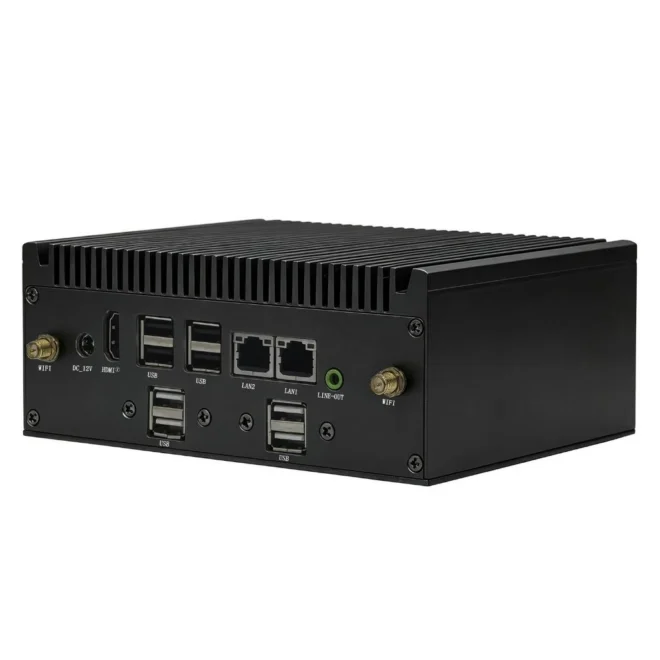
The second new thing is IMAGO N6E box. In this model, the network configuration is particularly noteworthy – by default, the computer has two 2.5 GbE LAN ports, and their number can be optionally expanded to three or four.
The N6E is based on Intel Elkhart Lake processors from the Celeron and Pentium families. Depending on the chosen configuration, available processors include the J6412, J6413, N6210, N6211, J6426, and N6415. The computer supports up to 16GB of DDR4 3200MHz RAM.
The device has two COM ports, 8-channel GPIO, and an M.2 slot supporting NVMe or SATA SSDs. It can also be expanded with Wi-Fi, Bluetooth, and 4G or 5G mobile connectivity.
The most important parameters of IMAGO N6E:
- Intel Celeron and Pentium Elkhart Lake processors;
- DDR4 RAM up to 16 GB;
- 2 USB 3.1 Gen1 ports;
- up to 8 USB 2.0 ports, depending on network configuration;
- 2 COM ports with optional RS232/RS422/RS485 support for COM1;
- 2, 3 or 4 2.5 GbE LAN ports;
- 8-channel GPIO;
- 1 × HDMI 2.0 with support for image up to 4K at 60 Hz;
- M.2 2280 NVMe/SATA slot;
- optional Wi-Fi, Bluetooth and 4G/5G modules;
- passive cooling without fan.
The compact 161 x 125 x 65 mm enclosure facilitates installation in confined spaces. The N6E is particularly suitable for installations where extensive network communication, GPIO support, and a small computer footprint are essential.
It is worth remembering that in this model the number of USB 2.0 ports depends on the selected LAN variant: with two LAN ports there are eight USB 2.0 ports available, with three – six, and with four – four.
SPC480 or N6E – which computer should you choose?
Both models feature a fanless design and can operate in temperatures ranging from -10°C to 60°C. However, they differ in features and configuration options, so the choice should primarily depend on the requirements of the specific project.
| Parameter | IMAGO SPC480 | IMAGO N6E |
|---|---|---|
| Processor | Intel Celeron / Core i3, i5, i7 | Intel Celeron / Pentium |
| Max RAM | 32GB DDR4 | 16GB DDR4 |
| COM ports | 6 | 2 |
| USB ports | 10 | Up to 10, depending on LAN |
| LAN | 2 × Gigabit Ethernet | Up to 4 × 2.5 GbE |
| GPIO | – | 8 channels |
| Image outputs | HDMI 2.0 + VGA, optional second HDMI | HDMI 2.0 |
| Mass storage | M.2 + 2.5″ bay | M.2 |
| Dimensions | 177 × 150 × 65 mm | 161 × 125 × 65 mm |
| Cooling | Passive | Passive |
When to choose SPC480?
This model is worth considering if the computer needs to support multiple serial devices and peripherals. Six COM ports, ten USB ports, and expandable memory up to 32 GB provide considerable flexibility when creating industrial and operator workstations. Support for two displays and the ability to install an additional 2.5-inch drive are additional advantages.
When will N6E be a better solution?
The N6E is a good choice when your project requires more 2.5 GbE network interfaces, GPIO communication, or a computer installation in a smaller space. It's a solution for applications where flexible network configuration and integration with external devices are important.
Why choose a computer with passive cooling?
Both new IMAGO computers utilize a fanless cooling system. Unlike traditional solutions, they lack a fan to circulate air within the case. Heat is dissipated through the thermal block and the case structure.
In practice, this means primarily:
- quieter computer operation;
- no fan as a moving element of the cooling system;
- reducing maintenance activities related to cleaning and replacing the fan;
- the possibility of using the device in places where noise is undesirable.
However, it's important to remember that passive cooling doesn't mean complete immunity to dust or moisture. When selecting a computer for a specific environment, it's also important to consider installation conditions and ensure adequate heat dissipation.
Choose the configuration for your project
The SPC480 and N6E expand IMAGO's offering with two models that address the various needs of box PC users. The former offers more COM and USB ports, support for up to 32 GB of RAM, and dual display support. The latter offers up to four 2.5 GbE LAN ports, GPIO, and a smaller form factor.
There's no one-size-fits-all solution for every workstation. It's a good idea to start by determining what devices will be connected to the computer, what processor and memory the software requires, and whether you plan to expand the installation in the future.
Meet the new IMAGO SPC480 and N6E computers. Check out the available configurations and contact our team, to choose the solution for your application.
